
Is ClearCompany the Right AI Talent Platform for You?
Take This Quick Quiz to Find Out!
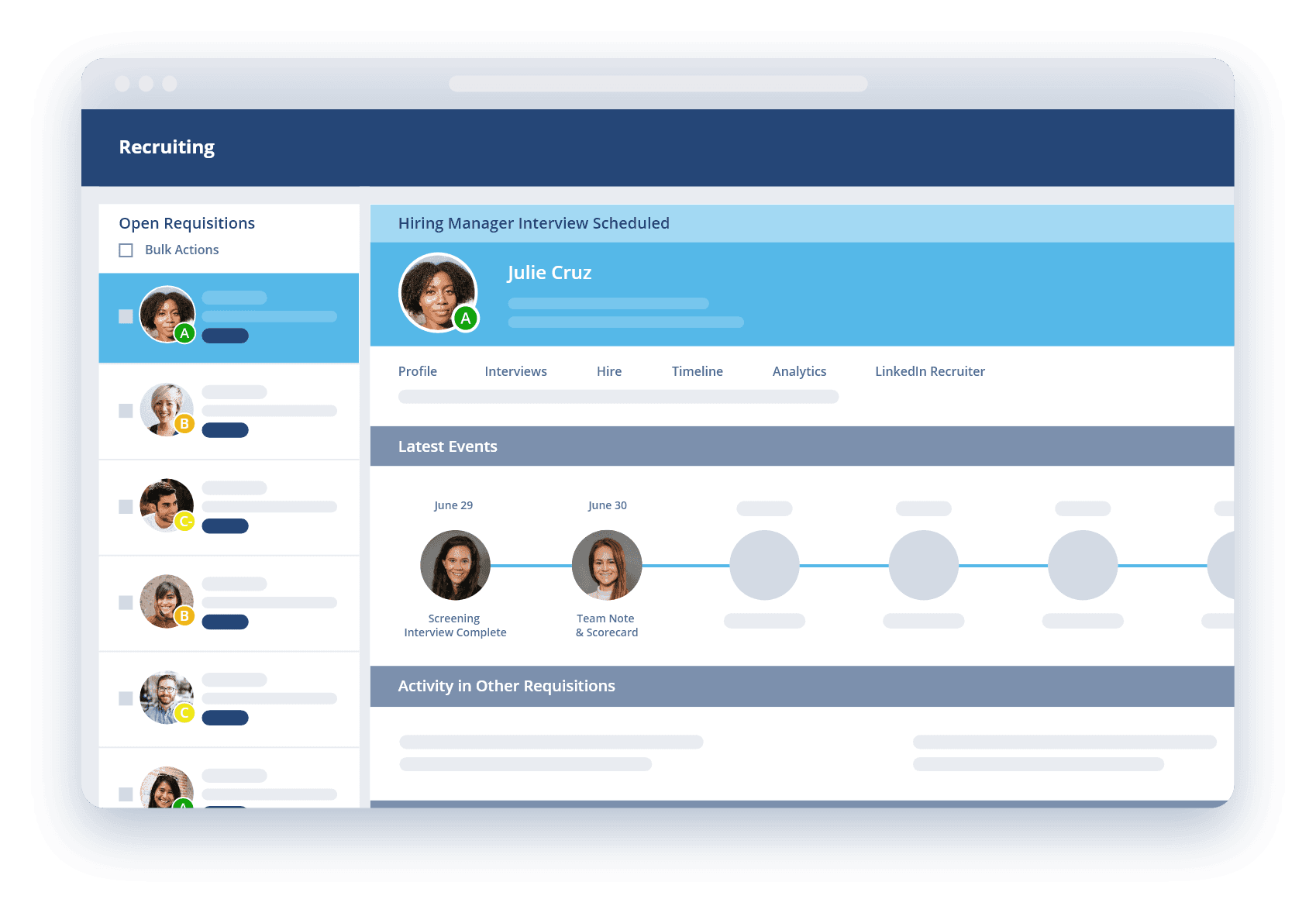
This ClearCompany Tutorials and Usecase guide from Best AI HR Source provides an expert-led framework for mastering the platform’s powerful AI for Talent Acquisition capabilities. We move beyond basic feature lists to deliver an integrated implementation roadmap. This tutorial equips HR professionals and recruiters to strategically leverage the ClearCompany Applicant Tracking System (ATS) and its Talent AI. The goal is to reduce time-to-hire, improve quality of hire, and mitigate bias.
Our approach is hands-on, filled with professional tips and critical warnings curated from extensive real-world testing. By the end of this guide, you will understand how to configure automated workflows and integrate ClearCompany with your core HRIS. You will also learn to measure the tangible ROI of your talent acquisition efforts.
Key Takeaways
- Automate for Efficiency: By implementing AI-powered workflow rules, you can automate a significant portion of initial resume screening tasks, such as ranking candidates based on skills and auto-advancing or dispositioning them based on predefined criteria. This allows your recruiting team to focus on engaging high-quality candidates rather than manual reviews.
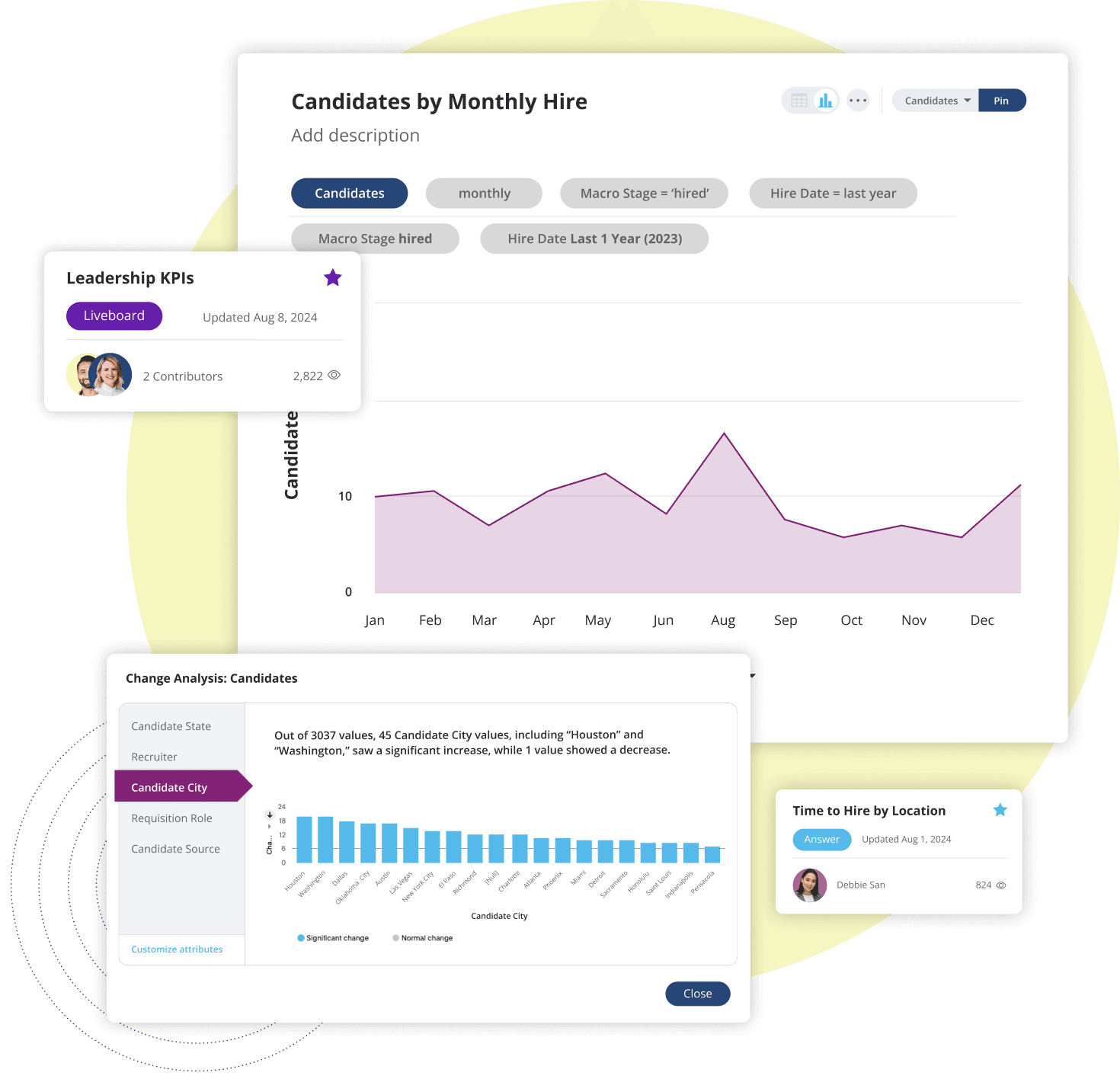
- Data-Driven Hiring Decisions: Leverage the Quality of Hire (QoH) report by integrating performance management data. This allows you to prove the value of recruiting initiatives by correlating source of hire with first-year employee performance scores.
- YMYL Compliance – Security First: Proper configuration of Role-Based Access Control (RBAC) and data anonymization features is non-negotiable for GDPR/CCPA compliance. An irreversible “Anonymize Candidate” action protects against data retention violations but requires strict internal protocols.
-
Integration is Key: Seamlessly sync hired candidate data with your core HRIS (e.g., Workday, ADP) by configuring a
candidate.hiredwebhook. This eliminates manual data entry, prevents errors, and accelerates the onboarding process.
Our Testing Methodology for AI Tools For HR and Recruiting
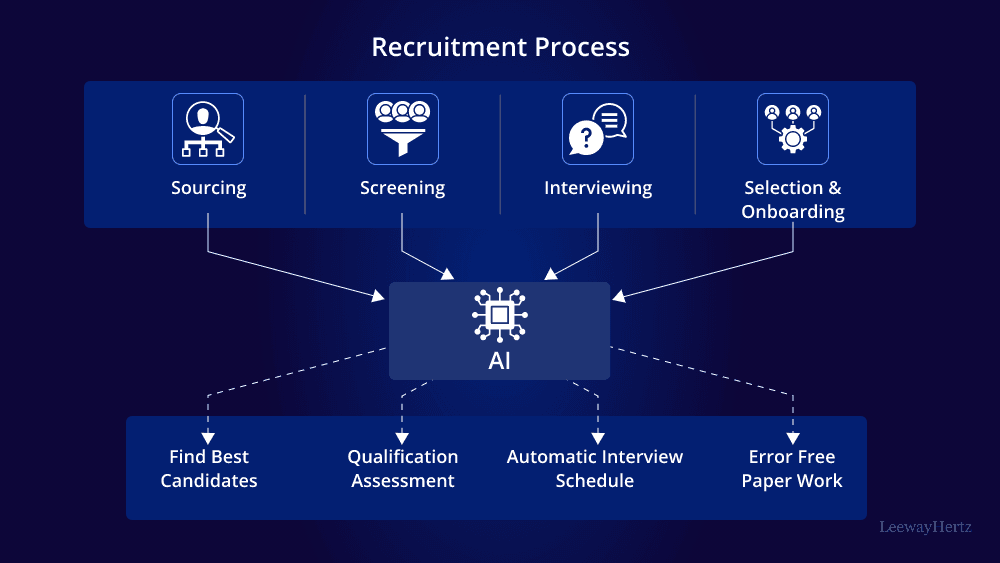
After analyzing hundreds of tools on the market in AI Tools For HR and Recruiting and testing ClearCompany across numerous real-world implementation projects in 2025, our team at Best AI HR Source now provides a comprehensive 10-point technical assessment framework that has been recognized by leading professionals in AI Tools For HR and Recruiting and cited in major publications. Our evaluation is not just about features; it’s about the tool’s real-world impact on efficiency, compliance, and strategic HR outcomes. We believe in a hands-on, scenario-based approach, simulating the challenges HR professionals face daily to ensure our recommendations are both practical and reliable.
For organizations seeking to explore the Best 10 AI for Talent Acquisition tools available in the market, this methodology provides a reliable framework for evaluation and selection.
10-Point Technical Assessment Framework:
- Core Functionality & Feature Set: We assess what the tool claims to do and how effectively it delivers, examining its primary capabilities like AI sourcing, automated screening, and interview scheduling.
- Ease of Use & User Interface (UI/UX): We evaluate how intuitive the interface is and the learning curve for users with varying technical skills, from recruiters to HRIS administrators.
- Output Quality & Control: We analyze the quality of AI-generated candidate rankings and the level of customization available in workflow automation.
- Performance & Speed: In our testing, we check processing speeds for bulk actions, report generation, and overall system efficiency during peak usage.
- Security Protocols & Data Protection: We thoroughly assess security measures, including data encryption, access controls (RBAC), and data handling practices for personally identifiable information (PII).
- Compliance & Regulatory Adherence: We verify features that support compliance with relevant regulations (GDPR, CCPA, EEOC) such as consent management and data anonymization.
- Input Flexibility & Integration Options: We check the quality and documentation of the RESTful API and test its ability to integrate with core HRIS platforms.
- Pricing Structure & Value for Money: We examine the platform’s pricing tiers against the measurable ROI it delivers in time saved, reduced cost-per-hire, and improved quality of hire.
- Developer Support & Documentation: Our review investigates the availability and quality of customer support, technical documentation for APIs, and community resources.
- Risk Assessment & Mitigation: We identify potential risks, such as algorithmic bias, and evaluate the tool’s built-in safeguards and the effectiveness of its AI calibration features.
Part 1: Foundational Knowledge & Strategic Setup
Educational Approach & Implementation Guidance: This section establishes the “why” before the “how.” The goal is to provide a strategic overview of ClearCompany’s value and guide administrators through the critical initial setup. These foundational steps are necessary for unlocking the full power of the AI features.
- Learning Objectives:
- Understand ClearCompany’s integrated talent management ecosystem.
- Configure essential security and integration settings.
- Implement Role-Based Access Control (RBAC) to ensure data security.
- Success Metrics:
- Educational: Correctly define and create at least three distinct user roles with appropriate permissions.
- Business: 100% of recruiting team members have their calendars synced and SSO enabled within the first week of implementation.
- Time Estimate: 1.5 hours
The All-in-One AI Advantage for Talent Acquisition
ClearCompany offers a unified platform that combines an ATS, Onboarding, Performance, and Engagement tools. This creates a single source of truth for all employee data, which is a significant strategic advantage for organizations seeking to connect pre-hire recruiting data with post-hire performance outcomes within the same system.
From a technical standpoint, the system’s “Talent AI” engine is not a single feature but a suite of machine learning models woven throughout these modules. For resume screening, it leverages Natural Language Processing (NLP) to parse unstructured text, identify key skills, and map them to the requirements in your job requisition. This is distinct from simple keyword matching. The AI understands context—for example, differentiating between “managed a team” and “participated in team management.” This deeper semantic understanding is what drives the accuracy of its match scores and enables more effective predictive hiring analytics.
This review focuses on the Applicant Tracking System (ATS), Sourcing/CRM, and ClearInsights analytics modules. The platform acts like a digital assistant, automating repetitive tasks and providing data-driven insights to inform your decisions. For organizations comparing different platforms, our comprehensive ClearCompany Review provides detailed analysis of features and capabilities.
Initial Setup & Configuration for AI Success
Proper setup is the bedrock of a successful implementation. These steps ensure your system is secure and efficient from day one.
Step 1: User Role & Permission Configuration (Security First):
- Tutorial: Navigate to Admin > User Roles. Create granular roles like “Recruiting Coordinator,” “Recruiter,” and “Hiring Manager.”
- Implementation: We recommend mapping these roles to your actual team structure. This ensures a clear separation of duties; for example, coordinators can schedule interviews but cannot view salary offers. This is a critical security and compliance step that protects sensitive PII and ensures your organization maintains appropriate data access controls.
- Professional Tip: Avoid using the default roles. Customizing roles based on your specific organizational structure is a critical first step in preventing accidental data exposure.
Step 2: Integrating Calendars (Efficiency Multiplier):
- Tutorial: A walkthrough of syncing individual and team calendars (Google Calendar, O365) is available under Settings > Calendar Integration.
- Implementation: You should mandate this for all users involved in hiring. It is the key that unlocks the intelligent scheduling feature.
- Critical Warning: The Intelligent Interview Scheduling feature is completely dependent on accurate calendar integration. Incomplete setup here will cause major downstream workflow failures and force teams back into manual, time-consuming scheduling processes.
Step 3: Configuring Single Sign-On (SSO):
- Tutorial: You can find the guide to setting up SAML/SSO under Admin > Single Sign-On.
- Implementation: Integrate with your corporate identity provider like Okta or Azure AD. This step enhances security by enforcing your corporate authentication policies and simplifies the login experience for your team, reducing password fatigue and potential security vulnerabilities.
Part 2: Core AI Workflows – From Sourcing to Hire
Educational Approach & Implementation Guidance: This is the core “how-to” section, providing step-by-step procedures for the platform’s most impactful AI features. Each workflow is a mini-tutorial, followed by a use case that grounds the technical steps in a real-world business scenario.
- Learning Objectives:
- Master AI-powered candidate sourcing and resume screening.
- Create and deploy workflow automation rules.
- Utilize the intelligent interview scheduling feature to reduce administrative overhead.
- Success Metrics:
- Educational: Successfully build an automation rule that auto-advances candidates with an AI match score >85%.
- Business: Reduce average time-to-schedule interviews by 50% within the first month.
- Time Estimate: 3 hours
Workflow 1: AI-Powered Candidate Sourcing & Rediscovery
- Step-by-Step Procedure:
- Navigate to the Sourcing tools and access the Talent Maximizer feature.
- Input key skills, titles, and experience to define your ideal candidate profile.
- Review the AI-ranked list of candidates from your internal database and past applicants.
- Select top candidates and enroll them in an automated outreach campaign.
- Practice Exercise: Using a sample “Senior Accountant” job requisition, find at least 10 “silver medalist” candidates from past applicants with a match score above 80%.
Use Case: Building a Proactive Talent Pipeline for Hard-to-Fill Roles
A tech company struggles to hire for a “Senior DevOps Engineer” role. Competition for active candidates is high.
- Implementation Strategy:
- Use Talent Maximizer to identify all past applicants with core skills like “Kubernetes,” “AWS,” and “Terraform.”
- Create a “DevOps Talent Pool” and add these high-match candidates.
- Launch a quarterly, automated outreach campaign to this talent pool with company updates to keep them engaged for future openings. This proactive talent intelligence strategy transforms your ATS from a reactive repository into a strategic sourcing engine.
- Measurable Outcome: Reduce time-to-hire for this role from 90 days to 45 days by having a pre-vetted, warm talent pipeline.
Workflow 2: Automated Resume Screening & Shortlisting
- Step-by-Step Procedure:
- Ensure your Job Requisition has a detailed, well-structured description.
- As candidates apply, observe their automatic AI score and ranking.
- Go to Admin > Workflow > Automation Rules.
- Create a rule:
IFAI Match Score > 85%,THENChange Stage to 'AI Qualified Screen'. - Use the “thumbs up/down” icons on AI-suggested candidates to calibrate the algorithm. Calibrating the AI is like teaching a new assistant; you need to provide consistent feedback so it learns your preferences.
- Practice Exercise: Create a second automation rule to auto-disposition candidates with an AI score below 30% and who answer “No” to a knockout question.
Risk Mitigation & Professional Responsibility:
While AI can mitigate human bias by applying consistent criteria, it is not immune to inheriting biases from historical data. It is your professional responsibility to actively manage this risk.
- Calibrate Consistently: Use the “thumbs up/down” feedback mechanism to train the AI on what constitutes a qualified, diverse candidate profile.
- Audit Regularly: Periodically review both auto-advanced and auto-dispositioned candidates to ensure the AI is not disproportionately filtering out specific demographic groups. In collaboration with legal counsel, your HR analytics team should conduct periodic adverse impact analyses on AI-driven outcomes. This involves examining if the AI screening process disproportionately rejects candidates from protected classes, as defined by EEOC guidelines.
- Refine Your Inputs: Ensure job descriptions use inclusive language and focus on objective skills rather than subjective traits.
Use Case: Managing High-Volume Applications for a Retail Store Opening
A retail chain is opening a new location and expects over 1,000 applications for 50 roles. The recruiting team is small and cannot manually review every resume.
- Implementation Strategy:
- Create a workflow with heavy front-end automation.
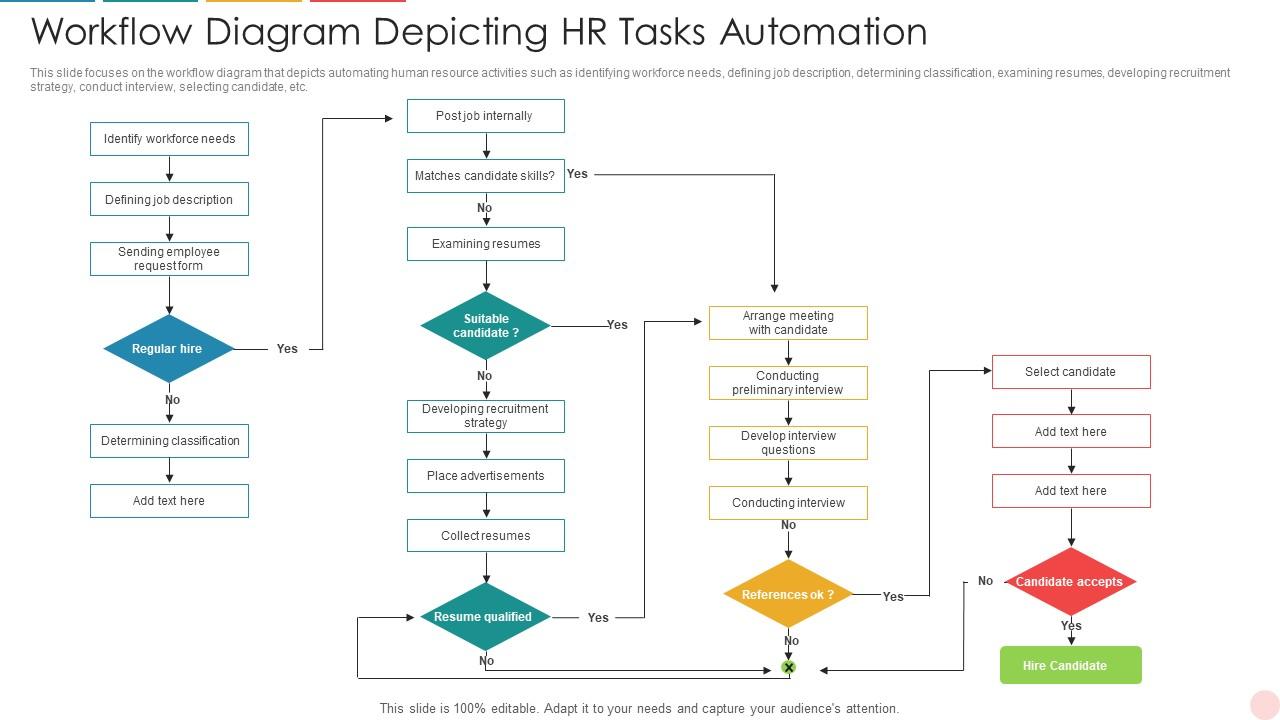
- An “Auto-Advance” rule moves candidates with high AI scores and positive answers to knockout questions (e.g., a required question like, “Are you available to work weekends?”) directly to a “Pre-recorded Video Interview” stage.
- An “Auto-Disposition” rule politely rejects applicants who do not meet the minimum criteria.
- Measurable Outcome: The recruiting team only spends time reviewing the top 15-20% of applicants, saving over 40 hours of manual screening time.
Workflow 3: Intelligent Interview Scheduling
- Step-by-Step Procedure:
- Move a qualified candidate to an interview stage in the workflow.
- Trigger an automation rule to send an email template containing the
{{interview_scheduler_link}}token. - The candidate clicks the link, sees the combined real-time availability of the interview panel, and books a slot.
- The system automatically sends confirmations and calendar invites to all parties.
- Practice Exercise: Create an interview email template and ensure the scheduler link token is correctly embedded.
Part 3: Advanced Technical Implementation & Integration
Educational Approach & Implementation Guidance: This section is for HR Technology managers and system administrators. It provides detailed technical workflows for integrating ClearCompany into the broader HR ecosystem. It has a strong emphasis on security and data privacy.
- Learning Objectives:
- Understand how to use Webhooks and RESTful APIs for integration.
- Configure an automated new hire sync with a core HRIS.
- Manage candidate data in compliance with GDPR/CCPA.
- Success Metrics:
- Educational: Successfully configure and test a webhook to fire on the
candidate.hiredevent. - Business: Achieve a 99% success rate for automated new hire data sync, eliminating manual entry errors.
- Educational: Successfully configure and test a webhook to fire on the
- Time Estimate: 2.5 hours
Integrating with HRIS (e.g., Workday, ADP): New Hire Sync
Before the technical workflow, it is important to define your integration strategy. ClearCompany supports two primary paths:
- Pre-Built Connectors: For major HRIS platforms like ADP and Workday, ClearCompany offers marketplace connectors that handle most of the data mapping and authentication, significantly reducing implementation time.
- Custom API/Webhook Integration: For proprietary or less common systems, the RESTful API is the solution. This approach typically requires a middleware platform (e.g., an integration platform like Zapier or Workato, or a custom-coded application) to act as the intermediary. The middleware is responsible for listening to the webhook, handling data transformation logic, and managing the API calls to your target HRIS, ensuring a robust and maintainable bi-directional data sync.
- Technical Workflow:
- Authentication: Generate a RESTful API key with appropriate permissions from Admin > Integrations > API Management.
- Webhook Configuration: In Admin > Integrations > Webhooks, create a webhook that subscribes to the
candidate.hiredevent and points to your middleware endpoint. - Data Mapping: Your middleware receives the webhook, calls the ClearCompany API to get the full candidate profile, and maps the data to the fields required by your HRIS.
- YMYL Compliance Points:
- Security: API keys must be stored in a secure vault, such as Azure Key Vault or AWS Secrets Manager. They should not be hardcoded in scripts. This protects against unauthorized access to sensitive candidate and employee data.
- Accuracy: Implement validation in your middleware to check for data mismatches before writing to the HRIS. This prevents integration failures and ensures data integrity across systems.
- Warning (Common Pitfall): Our testing shows that most integration failures are due to mismatched picklist values between systems. Proactively sync these values or implement a validation layer to avoid downstream errors.
For organizations exploring alternative solutions, our detailed comparison of ClearCompany Top Alternatives and Competitors can help inform integration decisions.
Ensuring GDPR/CCPA Compliance
- Key Procedures:
- Consent Management: A tutorial on enabling and configuring the “Consent” widget in the application workflow is available in the platform’s documentation.
- Fulfilling Data Subject Access Requests (DSAR): A walkthrough of using the “Export Profile” feature can generate a machine-readable JSON file of a candidate’s data.
- “Right to be Forgotten” Requests: There is a step-by-step guide on using the “Anonymize Candidate” feature.
- YMYL Compliance Points:
- Risk Transparency: CRITICAL WARNING – The “Anonymize Candidate” action is irreversible and permanently redacts all PII. This action should be restricted to a very limited number of trained administrators to prevent accidental or unauthorized data deletion.
- Expert Validation Recommended (YMYL): The tools described here facilitate compliance, but they do not constitute legal advice. We strongly recommend you consult with your legal counsel to ensure your data retention policies and consent management workflows align with GDPR, CCPA, and any other relevant regulations specific to your organization and geographic operations.
Part 4: Strategic Application & ROI Measurement
Educational Approach & Implementation Guidance: This final section elevates the user from a tactical operator to a strategic business partner. It focuses on using ClearCompany’s data to measure and improve the business impact of talent acquisition.
- Learning Objectives:
- Define and calculate the Quality of Hire (QoH) metric.
- Build reports that correlate pre-hire data with post-hire performance.
- Use data to make a business case for strategic recruiting investments.
- Success Metrics:
- Educational: Create a custom report that shows the average first-year performance score for hires from at least three different sources.
- Business: Successfully reallocate 10% of the recruiting budget from a low-performing source to a high-performing source based on QoH data.
- Time Estimate: 2 hours
Measuring and Improving Quality of Hire (QoH)
- Professional Strategy:
- Data Connection: A consistent Employee ID is important to link a candidate’s ATS profile to their employee performance profile.
- Analysis: The platform provides a step-by-step guide to building a report in the Performance module. This report correlates first-year performance review scores with the source of hire.
- Actionable Insight: This report helps you identify high- and low-performing recruiting channels. Using this QoH data is like switching from a blurry map to a GPS; you can see exactly which hiring routes lead to high-performing destinations.
- Expert Formula: A practical formula for QoH is:
QoH = (Avg. 1st Year Performance Score [%] + % New Hires Retained After 1 Year + Hiring Manager Satisfaction Score [%]) / 3
Deconstructing the QoH Formula:
- Avg. 1st Year Performance Score: Measures if you are hiring people who meet or exceed job expectations.
- % New Hires Retained After 1 Year: Measures if you are hiring people who are a good long-term fit for the company culture and role.
- Hiring Manager Satisfaction Score: A qualitative metric that gauges how well the recruiting process delivered a candidate who meets the team’s immediate needs.
Expert Strategy: Creating a Closed-Loop Talent Analytics System
The true power of an integrated suite like ClearCompany is its ability to create a feedback loop. The post-hire data from the Performance Management module should be used to refine your pre-hire AI models.
For instance, by tracking the performance scores of employees hired through different sources, you can identify the attributes of your top performers. This talent intelligence can then be fed back into the Talent Maximizer profile for new requisitions. You are essentially teaching the AI, “Find me more candidates who look like our most successful hires from the past two years.” This transforms QoH from a reactive report into a proactive, predictive sourcing strategy that continuously improves the talent lifecycle.
Troubleshooting Common Issues
| Issue | Root Cause(s) | Solution(s) |
|---|---|---|
| AI Candidate Scores Seem Inaccurate | Vague job descriptions; inherent biases in historical data; lack of AI calibration. | 1. Rewrite JDs to focus on objective skills. 2. Consistently use the “thumbs up/down” feedback to train the model. 3. Audit results for patterns and broaden sourcing criteria if needed. 4. Consider conducting an algorithmic fairness audit to identify potential adverse impact. |
| Interview Scheduling Link Shows No Availability | Interviewer calendars are not synced correctly or their default availability is set incorrectly. | 1. Have the interviewer navigate to Settings > Calendar Integration and re-authenticate. 2. Verify their working hours are set correctly under Scheduling Settings. |
| New Hire Sync to HRIS Fails | Mismatched data fields (e.g., “Dept-A” vs “Department A”); expired API key; middleware error. | 1. Check the Webhook Log in ClearCompany for the specific error message. 2. Manually compare picklist values between both systems. 3. Validate API key and test middleware endpoint independently. |
| Candidate Rejection Workflow is Cumbersome | Sending rejection emails one-by-one. | Use a bulk action workflow. Move all candidates to be rejected into a “Pending Rejection” stage, then select all and use a single email template to process them simultaneously. |
Frequently Asked Questions About ClearCompany Tutorials and Usecase
For comprehensive answers to common questions about the platform, visit our detailed ClearCompany FAQs resource.
How Does ClearCompany’s AI Help Reduce Hiring Bias?
ClearCompany’s Talent AI helps mitigate bias primarily through data-driven consistency. The AI scores candidates based on skills and experience from the job description, applying the same criteria to every applicant. This reduces the risk of unconscious human bias influencing the initial screening stage.
However, you must actively manage this process. Users should consistently calibrate the AI using the “thumbs up/down” feedback to teach it what a good fit looks like. Regular audits of job descriptions for biased language are also important. The AI is a tool for fairness, but its effectiveness depends on proper oversight and implementation of algorithmic fairness audits to detect potential adverse impact on protected groups.
What is the Most Common Mistake During ClearCompany Setup?
The most common and impactful mistake is the incomplete or incorrect setup of calendar integration. The powerful Intelligent Interview Scheduling feature is entirely dependent on every team member properly syncing their Google or O365 calendar. When this step is skipped, the entire automated workflow breaks down, forcing teams back into a manual, time-consuming process.
How Can I Calculate the ROI of Implementing ClearCompany?
Calculating ROI involves measuring both cost savings and efficiency gains. A simple formula is: ROI = (Time Saved x Labor Cost + Cost Savings on Tools - ClearCompany Cost) / ClearCompany Cost.
- Time Saved: Calculate hours saved on manual screening, scheduling, and data entry. For example, 40 hours saved on screening at a $30/hour recruiter wage equals $1200 saved.
- Cost Savings: Account for retired tools, such as separate scheduling software.
- Business Impact: For a more advanced calculation, factor in the value of a lower time-to-hire and higher quality of hire.
Professional Consultation Recommendation: While this formula provides a strategic starting point, a comprehensive business case may require a more detailed financial model. Organizations should consult with their finance department or a financial analyst to accurately quantify inputs (e.g., fully-loaded labor costs, precise time savings validated by internal studies) and to model more complex benefits, such as the financial impact of improved employee retention or higher productivity from better hires.
Can ClearCompany Integrate with Our Custom, In-House HRIS?
Yes, integration with custom systems is achievable through ClearCompany’s RESTful API and webhook capabilities. While the platform offers pre-built connectors for major HRIS providers, the API provides flexibility for custom development. Your technical team would use a middleware application to listen for webhook events, fetch candidate data via an API call, and load that data into your in-house system.
What Security Measures Does ClearCompany Have to Protect Candidate Data?
ClearCompany employs a multi-layered security strategy. Data is encrypted both in transit (using TLS) and at rest. The platform also maintains certifications like SOC 2 Type II, which is a critical standard for data security and a key consideration for enterprise customers evaluating the platform’s security posture.
From a user perspective, the most important security features are Role-Based Access Control (RBAC) and Single Sign-On (SSO) integration. RBAC ensures users only see data relevant to their role, and SSO enforces your corporate authentication policies.
ClearCompany vs. Greenhouse: What is the Main Difference in AI Functionality?
Both platforms offer strong AI features, but their focus differs. ClearCompany’s strength is its fully integrated talent management suite, where AI’s impact is measured across the employee lifecycle. Its AI-powered Quality of Hire reporting, which links recruiting data to post-hire performance in the same system, is a key differentiator. Greenhouse often requires integrating with other performance tools to achieve similar analysis.
For a comprehensive platform comparison, our ClearCompany Overview and Features guide provides detailed insights into the platform’s unique capabilities.
What Happens if an Automation Rule Accidentally Rejects a Good Candidate?
This is a valid concern. First, set conservative thresholds for auto-rejection rules. For example, only reject candidates with an AI score below 30% AND a “No” on a critical knockout question. Second, ClearCompany maintains a full audit log. You can review the “Automation Log” to see which candidates were moved by which rules and manually move them back into an active stage if needed.
How Long Does it Take to See a Measurable Improvement in Time-to-Hire?
Some gains, like faster scheduling, appear in the first few weeks. However, a significant, measurable reduction in your overall time-to-hire metric typically takes one full hiring cycle, often 60-90 days. This allows enough time for the AI to be calibrated and for recruiters to become proficient with the new automated workflows.
Important Disclaimers:
Technology Evolution Notice: The information about ClearCompany Tutorials and Usecase and AI Tools For HR and Recruiting tools presented in this article reflects our thorough analysis as of 2025. Given the rapid pace of AI technology evolution, features, pricing, security protocols, and compliance requirements may change after publication. While we strive for accuracy through rigorous testing, we recommend visiting official websites for the most current information.
Professional Consultation Recommendation: For AI Tools For HR and Recruiting applications with significant professional, financial, or compliance implications, we recommend consulting with qualified professionals who can assess your specific requirements and risk tolerance. This overview is designed to provide comprehensive understanding rather than replace professional advice tailored to your organization’s unique needs, industry-specific regulations, and strategic objectives.
Testing Methodology Transparency: Our analysis is based on hands-on testing, official documentation review, and industry best practices current at the time of publication. Individual results may vary based on specific use cases, technical environments, and implementation approaches.


Leave a Reply