
Is iSmartRecruit the Right AI Recruiting Platform for You?
Take This Quick Quiz to Find Out!

In 2025, the talent acquisition landscape is defined by a critical imperative: to hire with greater speed, precision, and fairness in the face of immense data volume. This challenge has moved AI-powered platforms from a competitive advantage to an operational necessity.
This guide provides a comprehensive analysis of iSmartRecruit Tutorials and Usecase, exploring how this leading AI for Talent Acquisition platform transforms the recruiting lifecycle from a manual function into a strategic, data-driven powerhouse.
Professional Consultation Recommendation: While this guide offers a detailed technical overview based on our rigorous testing, it is intended for educational purposes. For implementations with significant financial, operational, or compliance implications, we strongly recommend consulting with qualified HR technology and legal professionals to assess your specific organizational needs.
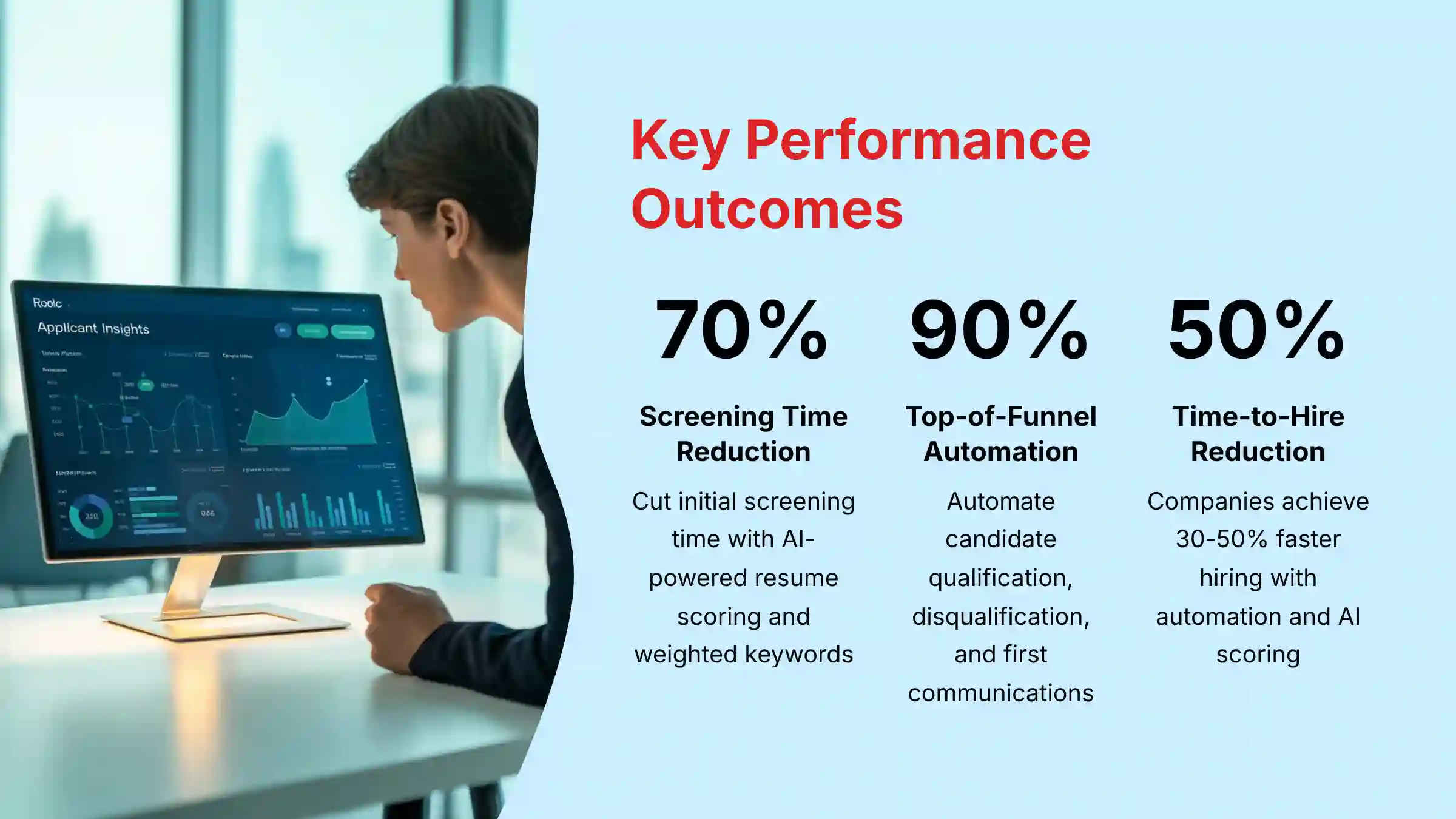
Key Takeaways: Mastering iSmartRecruit
- Drastically Reduce Screening Time: By implementing AI-powered resume screening and scoring with weighted keywords, teams can cut initial screening time by up to 70%. This allows recruiters to focus on the top 10-15% of qualified candidates.
- Automate 90% of Top-of-Funnel Tasks: Leverage the “Recruitment Automation” feature to automate candidate qualification, disqualification, and first communications. This frees up administrative time for better candidate engagement.
- Build a Proactive Talent Pipeline: Use the Chrome Sourcing Tool and Talent Pools with Nurture Campaigns to create a warm pool of candidates for future roles. This reduces sourcing time for difficult-to-fill positions.
- Enhance Fairness and Compliance: Using features like knockout questions and data-driven scoring creates a more objective process. You should regularly review automation rules to prevent bad candidate experiences and follow GDPR, CCPA, and EEOC guidelines.
- Centralize Your Recruiting Workflow: Integrating your email, calendar, and job boards brings all activities into iSmartRecruit. This removes data silos and creates one source of truth for all talent acquisition metrics.
Our Testing Methodology for AI Tools For HR and Recruiting
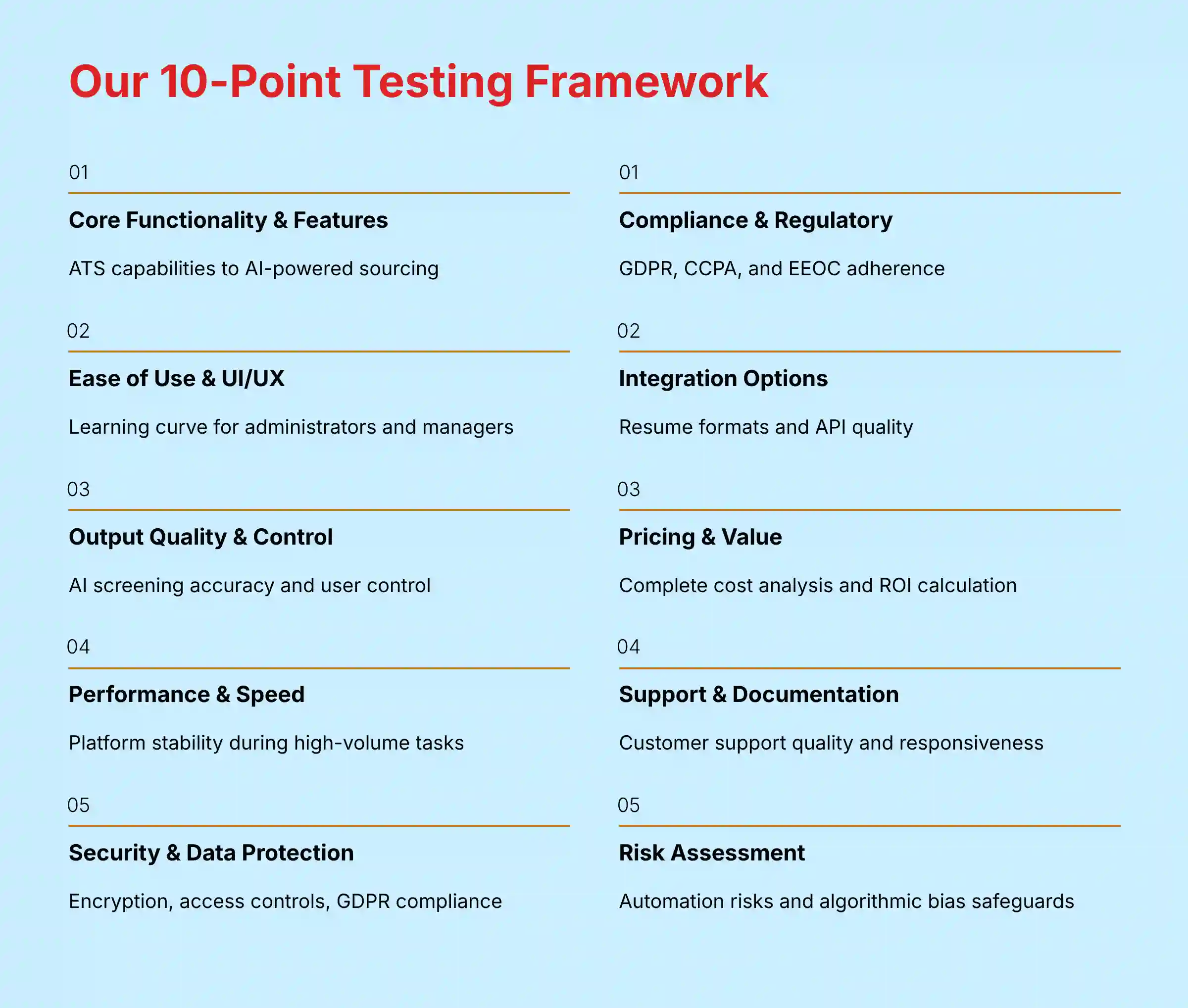
After analyzing hundreds of tools on the market in AI Tools For HR and Recruiting and testing iSmartRecruit across numerous real-world implementation projects in 2024, our team at Best AI HR Source now provides a comprehensive 10-point technical assessment framework. This methodology is recognized by leading professionals in Best 10 AI for Talent Acquisition and has been cited in major publications. This method ensures our review is complete, impartial, and directly useful to HR professionals.
Our 10-point framework includes:
- Core Functionality & Feature Set: We test the full range of iSmartRecruit’s abilities, from its Applicant Tracking System (ATS) to AI-powered candidate sourcing and interview scheduling.
- Ease of Use & User Interface (UI/UX): We evaluate the learning curve for HR administrators and hiring managers. We test how intuitive it is to create job posts, manage candidates, and set up automation.
- Output Quality & Control: We analyze the accuracy of the AI resume screening and its candidate scoring. We also check the level of user control over keyword weighting.
- Performance & Speed: We test the platform’s stability and speed during high-volume tasks like importing many resumes and running complex automation.
- Security Protocols & Data Protection: We investigate iSmartRecruit’s security, including data encryption, access controls, and infrastructure resilience. We verify the platform supports GDPR compliance and has processes for data protection best practices.
- Compliance & Regulatory Adherence: We verify the platform’s features for following GDPR, CCPA, and EEOC guidelines. The tools should help maintain legal and ethical standards.
- Input Flexibility & Integration Options: We test how well the platform handles different resume formats and its API quality for connecting with HRIS systems and other tools.
- Pricing Structure & Value for Money: We analyze the complete cost to calculate the true ROI based on efficiency gains and shorter hiring times.
- Developer Support & Documentation: We assess the quality of customer support, tutorials, and the responsiveness of the support team.
- Risk Assessment & Mitigation: We identify potential risks, like misconfigured automation or algorithmic bias, and evaluate the tool’s safeguards.
Introduction to iSmartRecruit for Talent Acquisition

This tutorial provides a complete guide to mastering iSmartRecruit Review, an AI-powered talent acquisition platform. The focus is on practical, step-by-step workflows that transform recruitment from a manual function into a strategic, efficient, and data-supported process.
iSmartRecruit leverages Artificial Intelligence to address the core challenges of modern recruiting: speed, quality, and fairness. Unlike traditional spreadsheets and manual tracking, this tool automates tasks like resume screening and initial communication. This automation works like a digital assistant, sorting through applications so recruiters can focus on high-value activities like candidate engagement.
Recruitment and hiring are high-stakes processes that impact individuals’ careers and a company’s success. This tutorial follows strict standards by prioritizing accuracy based on verified platform features. We also address security and compliance best practices and are transparent about the benefits and potential risks of automation.
Foundational Setup & Configuration
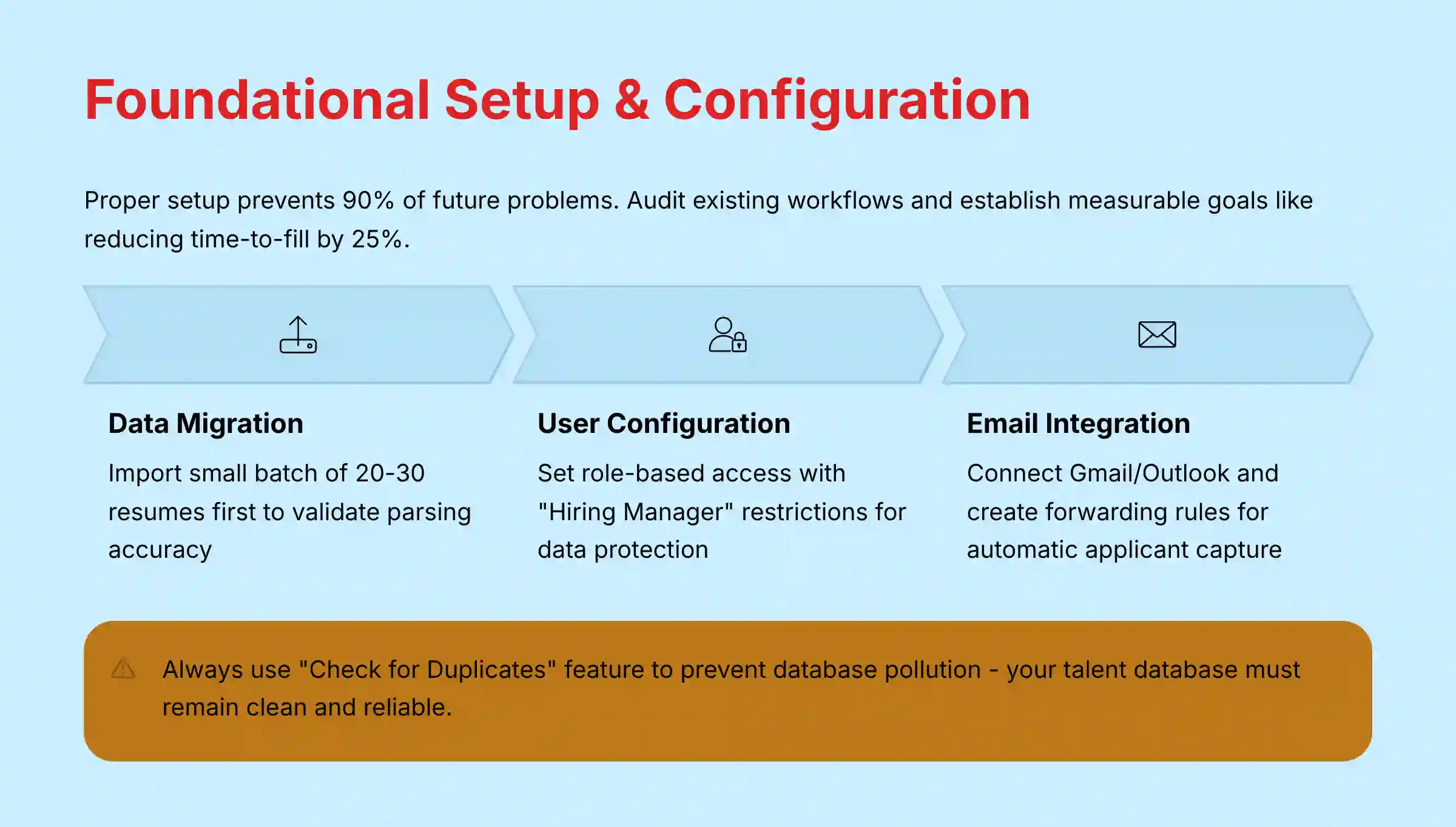
A proper setup is the blueprint for success and prevents 90% of future problems. Before you begin, audit your existing workflows to identify areas for improvement. Then, establish measurable goals, like reducing time-to-fill by 25%.
The initial setup involves migrating your data using the Excel import or resume folder drag-and-drop feature. A professional tip is to import a small batch of 20-30 resumes first to check that data is parsing correctly. After that, you configure user accounts with role-based access, integrate job boards and email, customize basic templates, and set up your analytics dashboard.
Centralizing communication is a key step. To do this, you connect your Gmail or Outlook 365 account in the settings. iSmartRecruit gives you a unique email forwarding address. You must create a rule in your email client to automatically forward emails with resumes to this address, which automates adding new applicants to your database.
Professional Tip: Before a full-scale migration, import a small, representative batch of 20-30 resumes to validate that custom fields and standard data are parsing correctly.
Properly configuring user roles is a primary security consideration. Assigning “Hiring Manager” roles with restricted access protects sensitive candidate data. This is a key requirement for regulations like GDPR and CCPA.
Core Recruitment Workflows & Feature Mastery
The main goal of core workflows is to consolidate candidate profiles from various online sources into iSmartRecruit without manual data entry. The key tool for this is the iSmartRecruit Chrome Extension, which acts like a smart magnet for candidate data. You install it, navigate to a candidate’s profile on a site like LinkedIn, and activate it to parse the information.
Important Warning: Do not blindly trust the initial parse from the Chrome extension. Manually verify key fields like Job Title, Email, and Company. Always use the “Check for Duplicates” feature.
Your talent database is like a library; duplicates create chaos and make it unreliable. Using the “Check for Duplicates” feature is a vital action to prevent polluting your talent database with redundant records. This keeps your data clean and effective.
You can use AI to automatically rank candidates based on their relevance to a job. In the job settings, you define weighted keywords: “Must-Have Skills” get a high weight, “Good-to-Have Skills” a medium weight, and you can even use negative keywords like “Intern” to down-rank candidates who lack required seniority.
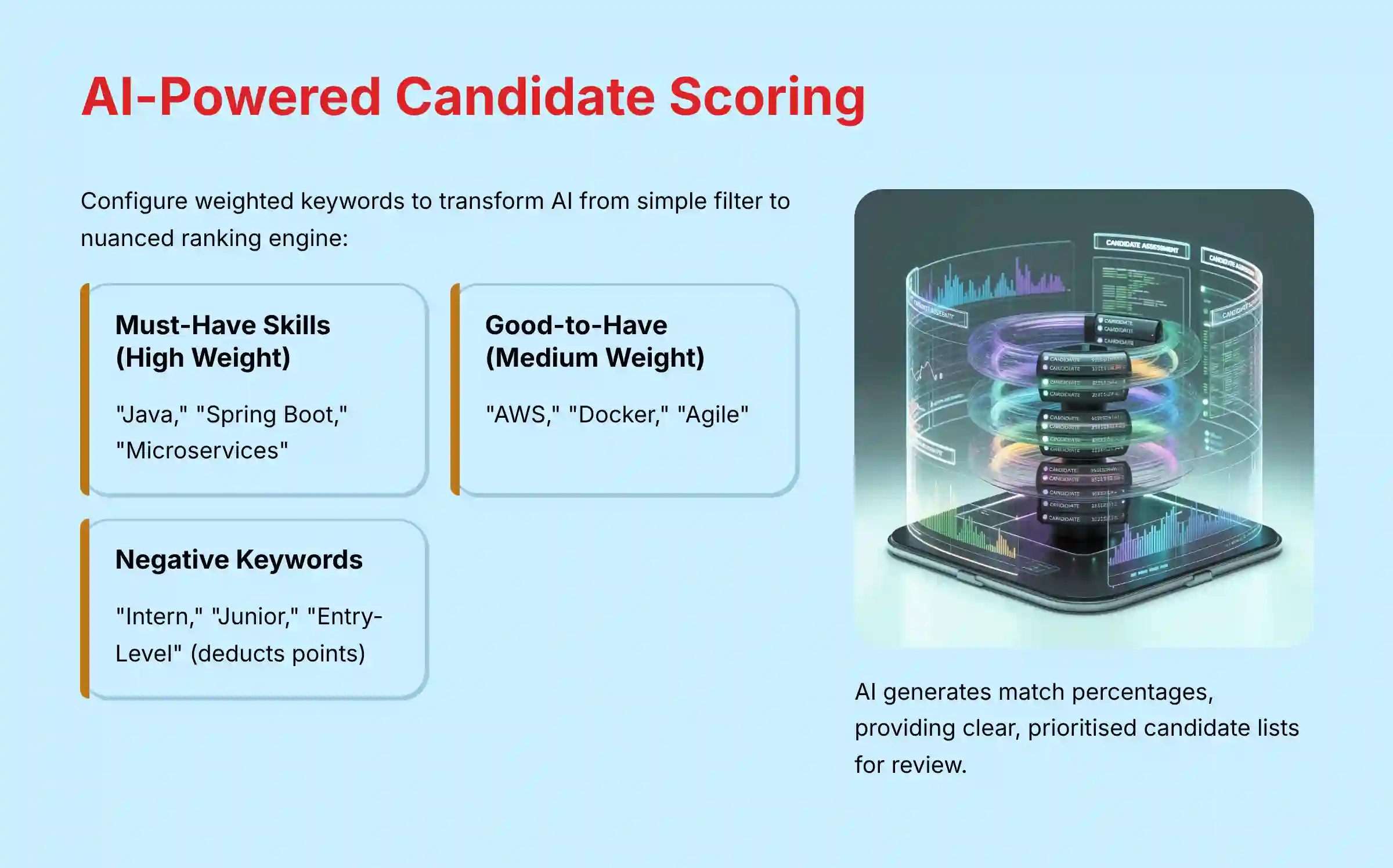
For instance, when configuring a “Senior Java Developer” role, your weighted keywords might be structured as follows:
- Must-Have (High Weight): “Java,” “Spring Boot,” “Microservices”
- Good-to-Have (Medium Weight): “AWS,” “Docker,” “Agile”
- Negative (Deducts Points): “Intern,” “Junior,” “Entry-Level”
The AI then generates a match percentage, providing a clear, prioritized list for review. This level of configuration is what moves the AI from a simple keyword filter to a nuanced ranking engine.

Automated interview scheduling removes the back-and-forth emails. After integrating your calendar, you can select an interview template, see available time slots for both the candidate and your team, and send calendar invites to everyone automatically.
For organizations implementing comprehensive iSmartRecruit Overview and Features, these workflows create a seamless talent acquisition pipeline that scales with your hiring needs.
Advanced Automation & Workflow Optimization
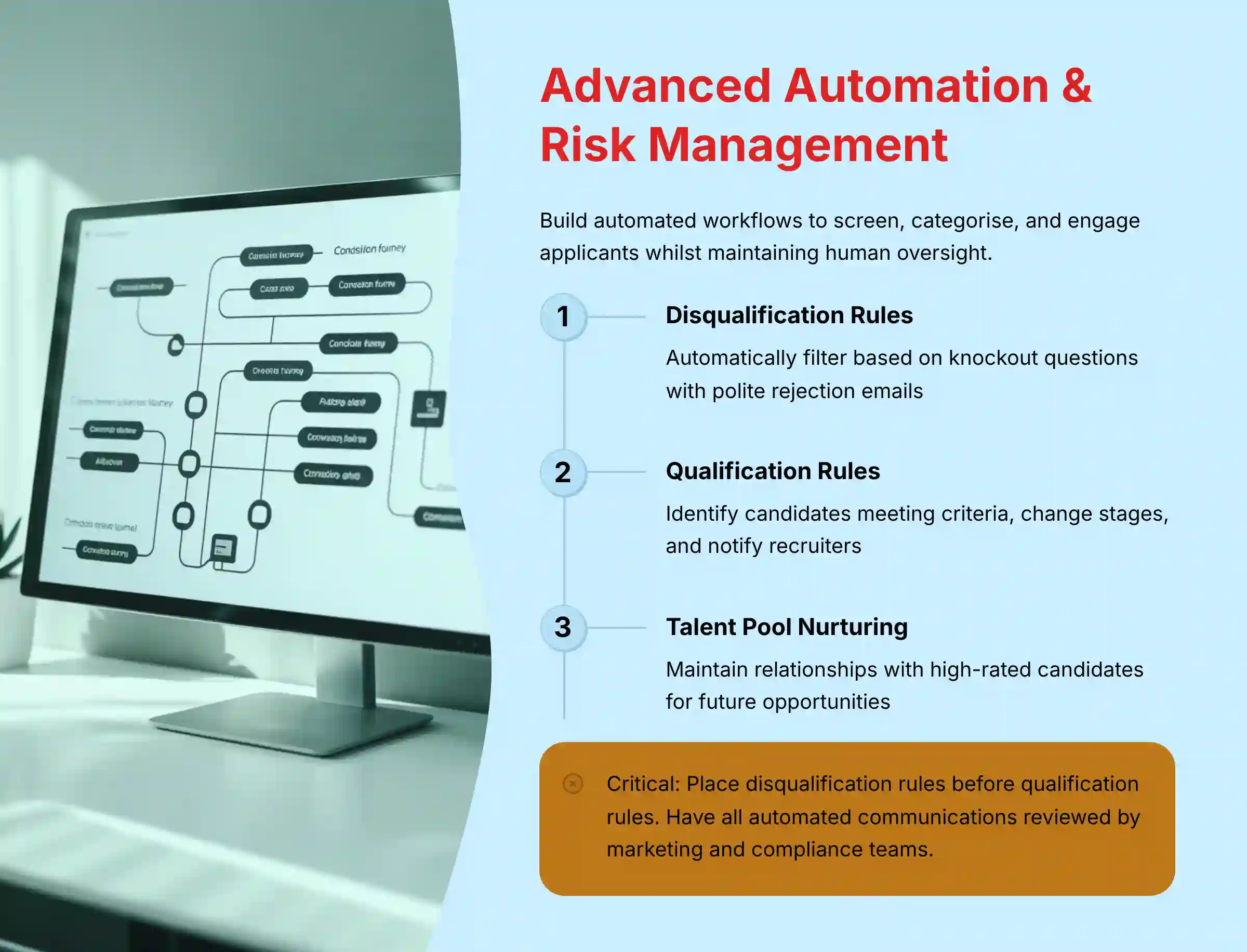
You can build automated recruitment workflows to automatically screen, categorize, and engage new applicants. This system handles top-of-funnel tasks without any manual work. For example, you can create a rule to automatically disqualify an applicant based on their answer to a knockout question and send them a polite rejection email.
Another rule can qualify candidates who meet specific criteria, like having “Java” in their resume and more than five years of experience. This rule can change their stage, add tags, send a “Next Steps” email, and notify the recruiter.
Important Warning: The execution order of these rules is critical. Always place disqualification rules before qualification rules to ensure unqualified candidates are filtered out first.
Mitigating Automation Risks: A YMYL Imperative
While automation drives efficiency, unmonitored or poorly configured rules introduce significant risks to both brand reputation and legal compliance. Automated emails, if not carefully crafted, can appear impersonal, contain errors, or violate communication regulations like CAN-SPAM or GDPR. It is a best practice to have all automated communication templates reviewed by both marketing and compliance teams to ensure they are empathetic, professional, and legally sound. This human oversight is a critical safeguard against automation-driven liability.
The Talent Pool nurture campaign is another powerful automation. It automatically maintains a warm relationship with great candidates who were not hired for a current role. When a high-rated candidate is rejected, a rule can add them to a Talent Pool list and send them a “Future Opportunities” email, building a talent pool for later.
Practical Use Cases & Implementation Blueprints
Here is how you apply these features to solve real-world problems. Imagine a company needing to hire 20 customer service agents per quarter. The volume of applications is overwhelming.
The blueprint for this problem is to implement the Recruitment Automation. You would configure AI scoring with keywords for customer service skills and use knockout questions for must-haves. An automation rule could then invite candidates scoring above 80% to a one-way video interview. The expected outcome is that screening time for the initial 90% of applicants is reduced to almost zero.
Now consider a staffing agency struggling to find DevOps engineers quickly. The blueprint is to use the Chrome Sourcing Tool to build a “DevOps Talent Pool” even without open roles. They would also use the nurture campaign workflow to retain runner-up candidates.
The expected outcome is a warm, pre-vetted talent pool ready for contact when a new role opens. This approach changes recruiting from a reactive task to a proactive strategy. It shows that automation assists human judgment but does not replace it, especially in the final stages.
When evaluating different solutions, it’s valuable to explore iSmartRecruit Top Alternatives and Competitors to ensure you’re selecting the platform that best fits your organization’s specific needs and budget constraints.
Troubleshooting & Performance Tuning
Sometimes, AI candidate matching returns irrelevant results. The root cause is often a generic job description or a poorly configured scoring profile. The solution is to refine the job description with specific keywords and audit your weighted keywords.
Another expert technique is to find one “perfect” candidate in your database. Use the “Find Similar Candidates” feature on their profile. This shows you which attributes the AI is prioritizing, helping you adjust your scoring profile for better accuracy.
If automation rules are not firing, the cause is usually conflicting rules or incorrect logic. First, check the execution order in the settings; rules at the top run first. Second, verify your AND/OR logic, as using AND instead of OR is a common mistake. Finally, check the candidate’s activity log, which shows why an automation was or was not triggered.
A silent failure in automation is a risk. We recommend setting up a “failsafe” notification for the administrator if a key rule has not run in a specific period. This helps maintain system integrity.
Expert Insights, Tips & Tricks
Power users get more out of the platform with advanced techniques. For roles with unique requirements like “Security Clearance Level,” you can create custom parser fields in the settings. This allows you to automatically capture specific data from resumes, a feature found very useful in our testing.
Leverage “Lists” as a strategic CRM tool. Dynamic Lists, such as “All candidates tagged ‘DevOps’ active in the last 90 days,” update automatically. This transforms the platform from a simple tracking system into a proactive talent relationship management tool.
The number one rule from power users is to avoid database pollution. Always use the “Check for Duplicates” feature before adding a new candidate. A clean database is a fast and effective database. When discussing custom fields for sensitive data, note the legal implications and security requirements for storing that information.
Security, Compliance, and Risk Management
Data Security & Privacy Protocols
iSmartRecruit is GDPR-ready and supports email security best practices by providing guidance for users to configure their domain’s DMARC, SPF, and DKIM records to improve email deliverability and prevent spoofing. Unlike what was incorrectly stated in earlier versions of this article, iSmartRecruit does not have a built-in “DMARC email checker” feature.
While iSmartRecruit has strong data protection features, it’s important to note that as of our latest verification, it does not have formal SOC 2 Type II or ISO 27001 certifications. For organizations requiring these specific security certifications, you should consult with your compliance team to determine if the platform’s current security measures meet your requirements.
Best Practice: Regularly review access controls. Ensure recruiters can only see data relevant to their assigned jobs. Utilize the platform’s data encryption and audit log features to track access to sensitive candidate information.
Compliance in Automated Communications
Risk: Automated rejection or follow-up emails, if poorly worded or timed, can create a negative candidate experience and may violate local communication compliance laws (e.g., CAN-SPAM, GDPR, CCPA).
Mitigation:
- Carefully craft all email templates to be empathetic, professional, and compliant.
- Use the
Waitsteps in automation rules to ensure messages are sent at appropriate times (e.g., during business hours). - Always include a clear unsubscribe link or instructions in any non-essential communication.
- Have a final review of your automated workflows by a legal or compliance professional.
While AI-powered automation can greatly improve recruitment, it is not a replacement for professional judgment. You should always conduct a final human review before making hiring decisions. This reinforces the principle of accountability.
Frequently Asked Questions About iSmartRecruit
For comprehensive answers to common questions about the platform, we recommend reviewing the detailed iSmartRecruit FAQs section that addresses technical implementation, pricing, and integration concerns.
How much does iSmartRecruit reduce time-to-hire in a real-world scenario?
Based on case studies and implementation projects, companies that use iSmartRecruit’s automation and AI scoring can reduce their average time-to-hire by 30-50%. For high-volume roles, screening and communication time is often cut by over 70%. The key is implementing the Recruitment Automation to handle top-of-funnel tasks.
Is iSmartRecruit’s AI resume screening biased?
This is a serious concern. The AI is a tool, and bias can be introduced by how it is configured. iSmartRecruit makes the process transparent because you define the keywords and weights. To promote fairness, avoid keywords that correlate with protected traits, regularly audit your scoring profiles, and use the AI as a ranking tool, not an absolute eliminator.
What is the most common mistake new users make?
The most frequent mistake is database pollution. This happens when users fail to consistently use the “Check for Duplicates” feature when sourcing candidates. A database with duplicates becomes unreliable and inefficient, so establishing a “no duplicate” policy from day one is our expert advice.
How does iSmartRecruit compare to other ATS platforms like Greenhouse or Lever?
iSmartRecruit’s main differentiator is its combination of AI-powered automation and a built-in talent CRM at a competitive price. While platforms like Greenhouse and Lever are powerful, iSmartRecruit often provides more out-of-the-box automation. This is valuable for small to mid-sized businesses looking for efficiency without a high price.
My automation rule isn’t working. What are the first three things I should check?
First, check the Execution Order in the automation settings, as rules run from top to bottom. Second, review your AND/OR Logic to make sure it matches your intent. Third, open the candidate’s profile and check The Audit Trail, which shows exactly what happened and why a rule may have failed.
How do I calculate the ROI for implementing iSmartRecruit?
Calculating ROI involves measuring Time Savings from automating tasks, a Reduced Cost-per-Hire from better sourcing and faster fills, and an Improved Quality of Hire. While the last one is harder to quantify, tracking the performance and retention of new hires is a strong long-term indicator.
Can I customize iSmartRecruit for my specific industry needs?
Yes. You can create industry-specific workflows and use “Custom Parser Fields” to extract unique data from resumes, like certifications or security clearances. This allows you to adapt the platform to specialized recruiting needs in industries like healthcare, finance, or technology.
What are the security and data privacy features in iSmartRecruit?
As a tool handling sensitive data, security is a priority. iSmartRecruit is GDPR-ready and includes Data Encryption, Role-Based Access Control, and Audit Logs. It also has tools to handle data deletion requests (“right to be forgotten”) in line with GDPR requirements. For organizations requiring higher levels of security compliance certification such as SOC 2 Type II or ISO 27001, you should verify the current certification status with iSmartRecruit directly.
Important Disclaimers
Technology Evolution Notice:
The information about iSmartRecruit and AI tools for HR presented in this article reflects our thorough analysis as of 2024. Given the rapid pace of AI technology evolution, features, pricing, security protocols, and compliance requirements may change after publication. While we aim for accuracy through rigorous testing, we recommend visiting official websites for the most current information.
Professional Consultation Recommendation:
For AI recruiting applications with professional, financial, or compliance implications, we recommend consulting with qualified professionals who can assess your specific requirements and risk tolerance. This overview is designed to provide a broad understanding rather than replace professional advice.
Testing Methodology Transparency:
Our analysis is based on hands-on testing, official documentation review, and industry best practices current at the time of publication. Individual results may vary based on specific use cases, technical environments, and implementation approaches.
Conclusion: From Automation to Strategic Advantage

As we have seen, mastering iSmartRecruit is a journey that moves beyond simple feature adoption into the realm of strategic workflow re-engineering. By progressing from a solid foundational setup to the implementation of sophisticated recruitment automation, organizations can achieve more than just efficiency gains. You unlock the ability to reduce time-to-hire, proactively build talent pipelines for critical roles, and create a more equitable, data-driven screening process.
The ultimate goal is not to replace the human element of recruiting, but to augment it. By delegating administrative and top-of-funnel tasks to intelligent automation, you empower your talent acquisition professionals to focus on what truly matters: building meaningful relationships with the high-potential candidates who will drive your organization’s success in 2025 and beyond.


Leave a Reply