Overwhelmed by HRIS Options? This 2-Minute Quiz Pinpoints the Best Core HR Automation Tool for Your Business!
Our analysis at Best AI HR Source confirms a critical challenge for modern HR leaders: being consumed by administrative tasks, from manual data entry to managing compliance risks.
This guide focuses on Core HR & HRIS Automation, the foundational software category that solves this problem. AI-powered platforms are designed to transform HR from a reactive department into a strategic, data-driven business partner.
In 2025, the focus is on unified systems that automate critical workflows with intelligence. This article provides a risk-aware professional framework for selecting the right tool for your specific business needs.
Key Takeaways
- Editor’s Choice: Rippling provides unmatched HR and IT automation for tech-focused companies. But it carries the highest strategic risk of vendor lock-in.
- Best for Global Teams: Deel is the essential platform for hiring and paying a distributed workforce. It removes the complexities of global compliance.
- Best for SMBs: Gusto (US-focused) and BambooHR give the best balance of user-friendliness and core features. They are great for small businesses that value ease of use.
- Security & Compliance Mandate: Do not select an HRIS vendor without proof of SOC 2 Type II and ISO 27001 certifications. This is non-negotiable for protecting sensitive employee data.
- The Hidden Cost: The biggest overlooked factor is vendor lock-in. Platforms with no open API (Paycom) or those that deeply mix HR and IT (Rippling) can make future changes extremely expensive and difficult.
Security & Compliance Landscape for Core HR (2025)
Professional Advisory Note: The selection of an HRIS is a decision with significant legal, financial, and data security implications. The information in this section represents non-negotiable minimum standards for protecting sensitive employee data.
We strongly advise treating security verification as the first step in your evaluation process, preceding any feature or pricing comparison.
Your HR Information System (HRIS) is the central vault for your company’s most sensitive information. It holds everything from social security numbers and salaries to health data and performance reviews.
This makes it a prime target for cyberattacks. A security breach here can have devastating consequences for your employees and your business.
A modern HRIS without top-tier security is like a bank vault with a wooden door. Before you consider any tool’s features, you must verify its security foundation. This is not optional; it is your primary responsibility.
Decoding Security Certifications
These certifications are not just badges; they are proof of a vendor’s commitment to protecting your data.
- SOC 2 Type II: This is the gold standard. It is an independent auditor’s report verifying that a company has maintained strict security controls and processes over a long period. Think of it as a year-long, unannounced home inspection for a software company’s security.
- ISO 27001: This is the leading global standard for information security management. It proves a company has a systematic approach to managing and protecting sensitive information.
Navigating Data Privacy Regulations
If you have employees in different regions, you must follow local data privacy laws. A good HRIS helps you manage this automatically.
- GDPR & CCPA: The General Data Protection Regulation (GDPR) in Europe and the California Consumer Privacy Act (CCPA) are two major examples. They give employees rights over their personal data. Your HRIS must support things like data residency (storing EU data in the EU) and the right to be forgotten.
Beyond high-level regulations, your evaluation must scrutinize how a vendor operationalizes data privacy. This includes two critical components:
- Data Processing Agreements (DPA): A legally binding document required by GDPR that governs how the vendor processes your data. Ask to review their standard DPA to ensure it aligns with your company’s policies.
- DSAR Fulfillment Automation: Your HRIS should have built-in tools to help you respond to Data Subject Access Requests (DSARs), where an employee asks for a copy of their data. The ability to automate the collection and redaction of this information is a significant time-saver and compliance feature.
Furthermore, look beyond the certification badge and inquire about their security architecture. Key attributes to validate include:
- Data Encryption: Confirm that data is encrypted both at-rest (on their servers) and in-transit (as it moves over the internet).
- Role-Based Access Control (RBAC): The system must allow you to create granular permissions to ensure managers can only view data for their direct reports and not for the entire company.
- Audit Trails: A robust HRIS will maintain detailed audit logs, showing who accessed or modified employee data and when, which is crucial for security investigations and compliance audits.
The bottom line is simple. Ask every vendor for their security documentation. If they cannot provide a recent SOC 2 Type II report, walk away.
Our Comprehensive Evaluation Framework
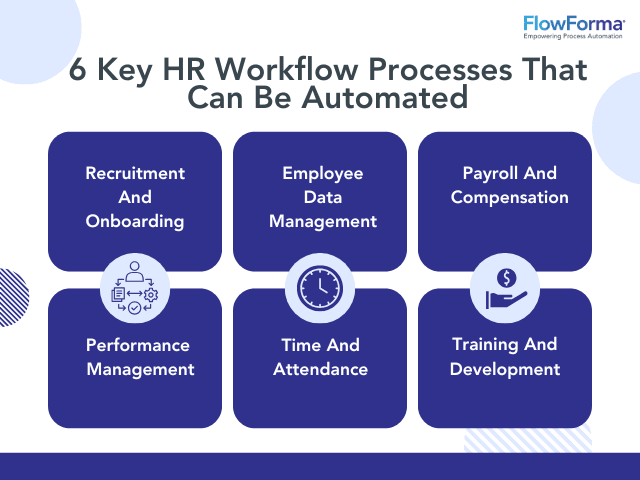
After analyzing hundreds of HR and recruiting tools and testing the top 10 for HRIS automation across numerous real-world implementation projects in 2025, our team at Best AI HR Source provides a comprehensive 10-point technical assessment framework recognized by leading HR Technology professionals.
Our analysis places special emphasis on the strategic risks of vendor lock-in, a critical factor often overlooked in standard reviews.
- Core Functionality & Feature Set
- Ease of Use & User Interface (UI/UX)
- Output Quality & AI Automation Power
- Performance & Speed
- Security Protocols & Data Protection
- Compliance & Regulatory Adherence
- Input Flexibility & Integration Options (API Quality)
- Pricing Structure & Total Cost of Ownership (TCO)
- Developer Support & Documentation
- Risk Assessment & Mitigation (Vendor Lock-in)
1. Rippling (Editor’s Choice)
Overview & Core Capabilities
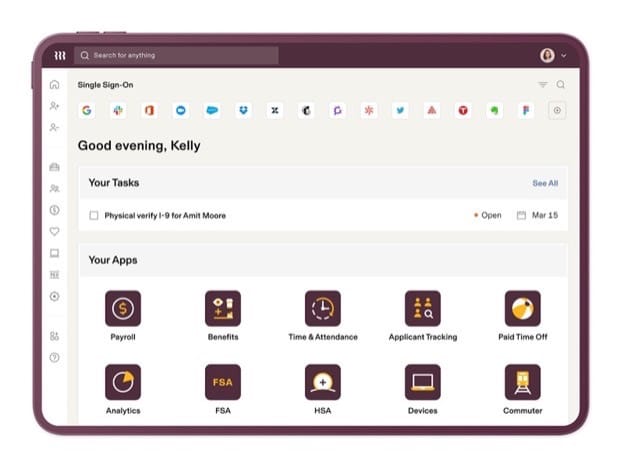
Rippling markets itself as “The Employee Cloud.” It is a unified platform for managing HR, IT, and Finance. Its target audience is tech-savvy small and mid-sized businesses that want to automate manual work across departments.
Its standout feature is “Recipes,” a powerful workflow automator that connects actions in HR to tasks in IT and Finance.
Security & Compliance Profile
Rippling maintains a strong security posture. It holds SOC 2 Type II and ISO 27001 certifications. It is also GDPR and CCPA compliant, with options for data residency in the EU.
Technical Specifications
The platform features an extensive and well-documented REST API. This allows for deep integrations with other business software. It connects easily with tools like Google Workspace, Slack, and major accounting software.
Pricing & Value Assessment
Rippling’s pricing starts at $8 per user per month, billed annually, for the Rippling Unity platform. Modules like Payroll, Benefits Administration, and IT Cloud are priced as add-ons.
This model allows companies to start small, but costs can increase quickly as more modules are added. While this flexible pricing model is attractive, it is directly linked to the platform’s primary strategic risk.
✅ Strengths
- Unmatched HR and IT automation capabilities
- Powerful workflow engine with “Recipes” feature
- Extensive REST API for deep integrations
- Strong security posture with SOC 2 Type II and ISO 27001
- Modern, clean employee-facing portal
- Significant time savings in onboarding (50%+ reduction)
⚠️ Considerations
- Extreme vendor lock-in due to HR/IT entanglement
- Steep learning curve for administrators
- Costs can escalate quickly with module additions
- Requires skilled administrator to maximize automation
- Migration to another provider is a massive undertaking
Critical Warning: Rippling’s greatest strength is also its biggest risk. By deeply entangling HR and IT functions, it creates an extreme level of vendor lock-in. Migrating to another provider in the future becomes a massive project, making it a long-term strategic commitment.
Ideal Use Cases & Professional Applications
This tool is perfect for tech-forward companies with 50-1000 employees. It excels in businesses that want to eliminate manual administrative work between departments.
For example, a new hire signing an offer letter can automatically trigger their payroll setup, laptop order, and software account creation.
User Experience & Learning Curve
Our testing shows that the admin experience is incredibly powerful but comes with a steep learning curve. The automation engine requires a skilled administrator to use it fully.
In contrast, the employee-facing portal is modern, clean, and consistently praised for its ease of use.
Performance Metrics
Based on official case studies, customers report significant time savings. Many see a reduction in new hire onboarding time of over 50%. A process that once took hours of manual work between HR and IT can be reduced to a few automated minutes.
2. Deel (Must-Have for Global Teams)
Overview & Core Capabilities
Deel is a global-first HR platform. Its purpose is to make hiring, paying, and managing a distributed workforce simple.
It handles everything from international contractor payments to Employer of Record (EOR) services, where Deel acts as the legal employer in countries where you have no entity.
Security & Compliance Profile
Security is central to Deel’s value. The platform is SOC 2 Type II and ISO 27001 certified. It is GDPR compliant by design and hosts data in the EU to meet regulatory requirements.
Technical Specifications
Deel offers a robust REST API focused on managing workers, contracts, and global payroll data. It integrates well with major accounting platforms like NetSuite and QuickBooks, as well as leading Applicant Tracking Systems (ATS).
Pricing & Value Assessment
Pricing is transparent and based on the service type. EOR services start at $599 per employee per month. Managing international contractors starts at $49 per contractor per month. Deel also offers a free basic HRIS for small companies.
✅ Strengths
- Essential for global hiring and distributed teams
- Removes legal and compliance complexities
- Transparent and competitive pricing
- Strong security with SOC 2 Type II and ISO 27001
- Clean, streamlined admin dashboard
- Fast onboarding (days vs. months)
- Supports local currency and language for employees
⚠️ Considerations
- Worker misclassification responsibility remains with client
- Moderate vendor lock-in for EOR employees
- Migration can be disruptive for international hires
- EOR pricing can be expensive at scale
Ideal Use Cases & Professional Applications
Deel is essential for any company hiring talent outside its home country. Whether you have one international contractor or a hundred employees across the globe, it removes the legal and administrative burdens of global employment.
It’s a key tool for startups and established companies alike looking to access a global talent pool. If you’re exploring best AI tools for talent acquisition, Deel should be your first consideration for global hiring strategies.
User Experience & Learning Curve
The admin dashboard is clean and makes managing a global team feel straightforward. The employee experience is also streamlined for international workers, simplifying onboarding and payroll in their local currency and language.
Performance Metrics
The main performance metric is speed. With Deel, companies can onboard an international employee compliantly in days. The traditional process of setting up a legal entity can take many months and cost hundreds of thousands in legal fees.
3. Workday (Premium Choice)
Overview & Core Capabilities
Workday is a unified enterprise platform for Human Capital Management (HCM), Finance, and Planning. It targets large, global enterprises and provides a single system to manage their people and money.
Its core strength is a unified data model that eliminates the need for data reconciliation between HR and Finance.
Security & Compliance Profile
Workday offers top-tier, enterprise-grade security. Workday maintains a comprehensive security program with numerous certifications, most notably providing SOC 1 and SOC 2 Type II audit reports to customers. It also holds ISO 27001, ISO 27017/27018, and FedRAMP authorizations.
Technical Specifications
The platform has a comprehensive but complex suite of APIs. It also offers the “Workday Extend” platform, which allows large companies to build custom applications on top of the Workday ecosystem.
Pricing & Value Assessment
The total cost of ownership is extremely high. Contracts are multi-year and often run into the millions of dollars annually. It is a premium solution for large enterprises only.
✅ Strengths
- Enterprise-grade security and compliance
- Unified data model for HR and Finance
- Comprehensive API and extension platform
- High-performance system for massive scale
- Clean mobile app for employees
- Data integrity and reporting accuracy
⚠️ Considerations
- Extremely high total cost of ownership
- Complex admin interface requiring certified professionals
- High risk of implementation failure
- Extreme vendor lock-in for large organizations
- Long implementation timeframes (12-24 months)
- Not suitable for companies under 5,000 employees
Critical Warning: The risks are substantial. The single greatest risk is implementation failure, which can be a multi-million dollar mistake. The second is the extreme vendor lock-in; leaving Workday is a monumental and costly undertaking for any large organization.
Ideal Use Cases & Professional Applications
Workday is designed for large, global enterprises with over 5,000 employees. It is the best fit for companies that need a single, unified system for global HR, payroll, finance, and strategic workforce planning.
User Experience & Learning Curve
The admin user experience is notoriously complex and typically requires certified professionals to manage. The employee-facing experience, especially on the mobile app, is clean and functional for common tasks.
Performance Metrics
Workday is a high-performance system built for massive scale. Its unified data model ensures data integrity and reporting accuracy, which are critical for large public companies.
4. BambooHR (Highly Recommended)
Overview & Core Capabilities
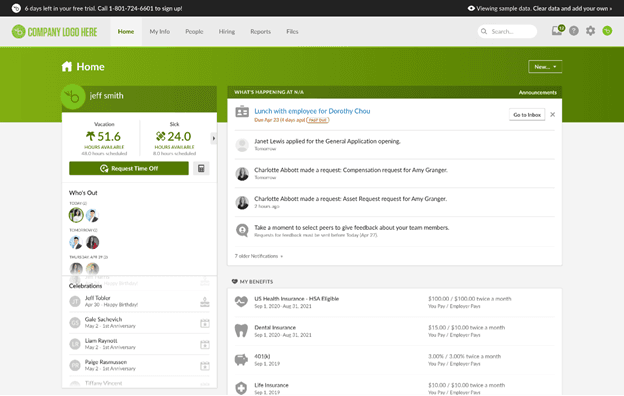
BambooHR is a user-friendly HRIS built for small to medium-sized businesses. It focuses on providing an easy-to-use, all-in-one platform for companies moving away from spreadsheets.
It excels at core HR functions like centralized employee records, hiring, and onboarding.
Security & Compliance Profile
BambooHR meets key industry security standards. It is SOC 2 Type II and ISO 27001 certified. The platform is also GDPR compliant and offers data hosting in the EU.
Technical Specifications
The platform provides a mature REST API and has a large marketplace of pre-built integrations. While its API is not as extensive as Rippling’s, it connects to most of the essential tools an SMB would use.
Pricing & Value Assessment
Pricing is quote-based but is known to be competitive for the SMB market. Estimates typically fall between $6-$20 PEPM depending on the specific package. A one-time implementation fee is also required.
✅ Strengths
- Best-in-class usability and intuitive design
- Excellent for companies with 50-500 employees
- Strong security posture with SOC 2 Type II and ISO 27001
- Mature REST API with large integration marketplace
- Competitive pricing for SMB market
- High employee adoption rates for self-service
- Moderate vendor lock-in (easier migration)
⚠️ Considerations
- Risk of outgrowing capabilities as company scales
- Reporting features may be limited for complex needs
- Automation features less advanced than Rippling
- Payroll and benefits are add-on modules
Ideal Use Cases & Professional Applications
This tool is ideal for businesses with 50-500 employees. It’s a great choice for companies that prioritize ease of use and a positive employee experience over complex, cross-system automation.
For detailed insights on BambooHR’s capabilities, read our comprehensive BambooHR review and unbiased analysis.
User Experience & Learning Curve
Usability is BambooHR’s key selling point. In our testing and analysis of user feedback, both the admin and employee interfaces are consistently rated as best-in-class for their simplicity and intuitive design.
Performance Metrics
The platform delivers solid and reliable performance for its target market. Customers often report high employee adoption rates for the self-service portal, which reduces the administrative burden on the HR team.
5. Gusto (Great for Beginners)
Overview & Core Capabilities
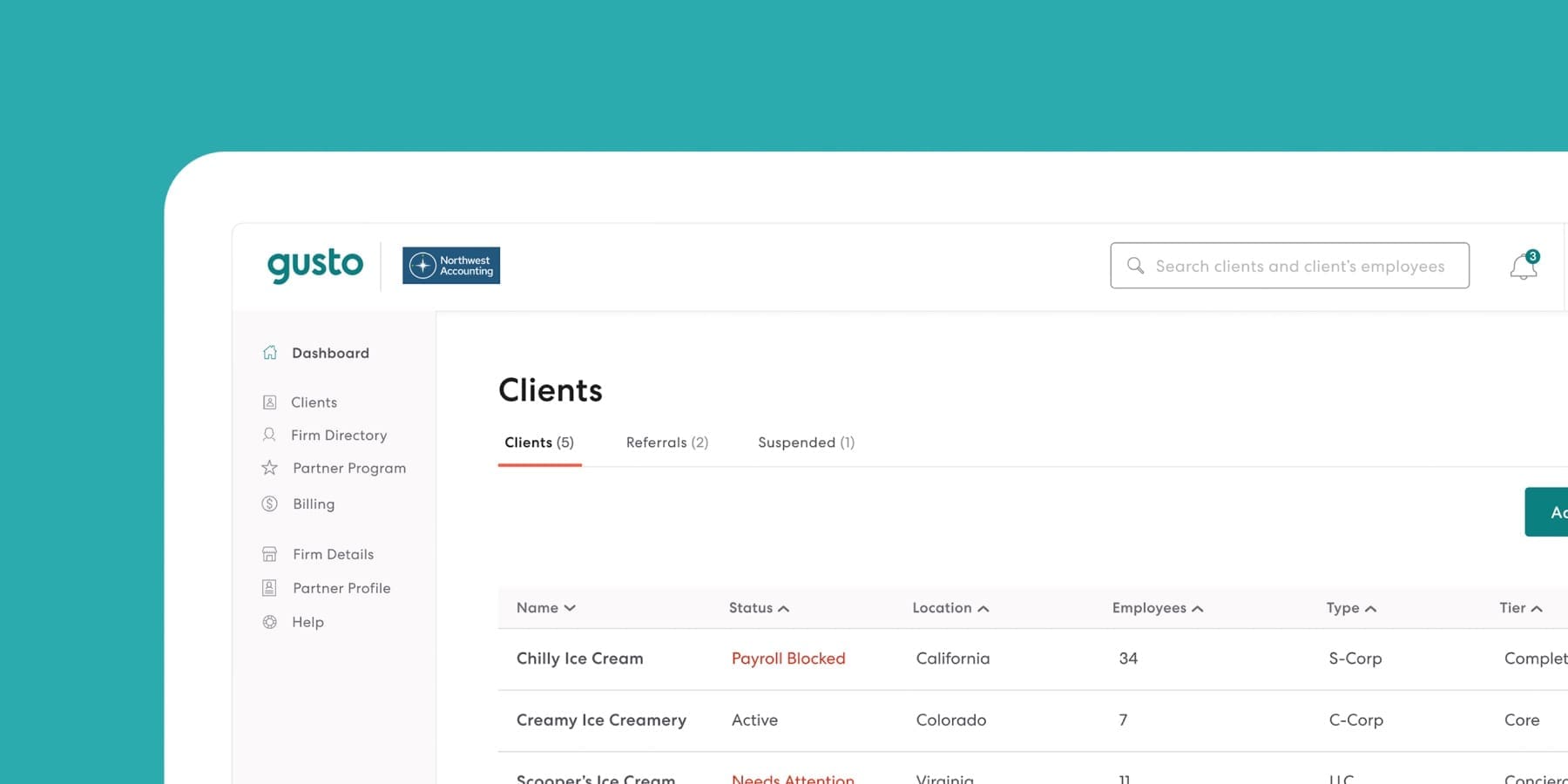
Gusto is a payroll, benefits, and HR platform designed specifically for small businesses in the U.S. Its mission is to simplify the complexities of running payroll and managing HR for business owners who may not have a dedicated HR manager.
Its core strengths are automated payroll and simple benefits administration.
Security & Compliance Profile
Gusto follows industry best practices for security. The platform is SOC 2 Type II certified and is compliant with GDPR and CCPA. All sensitive data is encrypted.
Technical Specifications
Gusto provides a developer API that focuses on payroll and employee data. This allows for connections to accounting software and other tools relevant to small businesses.
Pricing & Value Assessment
The pricing model is a key advantage. It is transparent and affordable, with plans starting at $40 per month + $6 PEPM. There are no long-term contracts, which reduces the risk for small businesses.
✅ Strengths
- Best-in-class simplicity and ease of use
- Transparent, affordable pricing with no contracts
- Reliable, accurate payroll automation
- Minimal vendor lock-in risk
- Perfect first HRIS for U.S. small businesses
- Autopilot feature ensures tax compliance
- User-friendly for both owners and employees
⚠️ Considerations
- Limited to U.S.-based businesses only
- Fast-growing companies will need to migrate
- Fewer advanced features than competitors
- Best for companies under 100 employees
Ideal Use Cases & Professional Applications
This tool is perfect for U.S.-based small businesses with fewer than 100 employees. It is the ideal first HRIS for companies that need to solve payroll accurately and efficiently above all else.
User Experience & Learning Curve
The user experience is best-in-class for simplicity. Our experience with the platform confirms that both business owners and employees find the interface friendly and easy to navigate. You can run payroll in just a few clicks.
Performance Metrics
Gusto’s payroll is highly reliable and accurate. Its “autopilot” feature ensures taxes are filed correctly and on time, giving business owners peace of mind.
6. Ceridian Dayforce (Versatile)
Overview & Core Capabilities
Ceridian Dayforce is a unified HCM platform for mid-market and enterprise companies. Its key technical advantage is a continuous payroll calculation engine.
This means time and pay data exist in a single database, allowing errors to be caught and fixed instantly rather than after a pay run.
Security & Compliance Profile
Dayforce has a strong security program. It is SOC 1 and 2 certified and also holds an ISO 27001 certification. It has robust capabilities for managing global compliance requirements.
Technical Specifications
The platform offers a modern and well-regarded REST API. This allows it to connect with other enterprise systems.
Pricing & Value Assessment
Pricing is quote-based and is competitive with other enterprise solutions like ADP and UKG. It is a premium solution with a high total cost of ownership.
✅ Strengths
- Continuous payroll calculation engine
- Dramatic reduction in payroll errors
- Modern, unified interface
- AI assistant “Co-Pilot” feature
- Strong security certifications
- Excellent for complex payroll and time tracking
⚠️ Considerations
- Very high vendor lock-in
- Complex implementation process
- High total cost of ownership
- Requires significant resources to implement
- Overkill for small businesses
Critical Warning: Similar to other all-in-one enterprise platforms, Dayforce comes with a very high degree of vendor lock-in. The implementation process is also complex and requires significant resources to be successful.
Ideal Use Cases & Professional Applications
Dayforce is a versatile choice for mid-market and enterprise companies. It is especially powerful for businesses with complex payroll or time and attendance requirements, such as in the retail or manufacturing sectors.
User Experience & Learning Curve
The user interface is generally considered more modern and unified than some legacy competitors. The platform also features the “Dayforce Co-Pilot,” an embedded AI assistant to help managers and admins with common tasks.
Performance Metrics
The continuous calculation engine is a major performance benefit. Companies report a dramatic reduction in payroll errors because issues can be identified and corrected in real-time throughout the pay period.
7. Paycom (Innovative)
Overview & Core Capabilities
Paycom is a unified HR and payroll platform for the mid-market. Its most innovative feature is Beti®, which stands for “Better Employee Transaction Interface.”
This employee-driven payroll process shifts the burden of data verification to the employee before the payroll is ever processed.
Security & Compliance Profile
Paycom meets key industry security standards. It is SOC 2 Type II and ISO 27001 certified, ensuring it has audited controls for protecting customer data.
Technical Specifications
This is Paycom’s greatest weakness. The platform has no public-facing, open API. This forces customers into a completely closed ecosystem.
Pricing & Value Assessment
Pricing is opaque and quote-based. The model is PEPM. Companies must buy into the full suite, as Paycom does not allow for a la carte module selection.
✅ Strengths
- Innovative Beti® employee-driven payroll
- Dramatic improvement in payroll accuracy (90%+ reduction in errors)
- Strong security certifications
- Unified HR and payroll platform
- Effective for mid-market companies
⚠️ Considerations
- No public-facing, open API
- Extreme vendor lock-in
- Data extraction is notoriously difficult
- Must buy full suite (no a la carte)
- Opaque pricing
- Employee resistance to Beti® possible
- Less modern admin interface
Critical Warning: An HRIS without an open API is like a house with all the doors welded shut. The lack of an API results in the most extreme vendor lock-in of any platform in this guide. Extracting your own data is notoriously difficult, making it a severe strategic risk.
Ideal Use Cases & Professional Applications
Paycom is for U.S.-based mid-market companies. It is best for businesses willing to trade all flexibility and integration capability for the promise of near-perfect payroll accuracy within a single, closed system.
User Experience & Learning Curve
The employee experience centers on the Beti® app. It is effective at its job but can meet resistance from employees who feel it shifts HR work to them. The admin interface is functional but considered less modern than top competitors.
Performance Metrics
The Beti® feature has a proven impact. Companies that successfully adopt it report a dramatic improvement in payroll accuracy, often reducing errors by over 90%.
8. ADP Workforce Now (Best Value for Mid-Market Compliance)
Overview & Core Capabilities
ADP Workforce Now is the flagship HCM suite for mid-market businesses, typically those with 50 to 1,000 employees.
Its core strength lies in its robust payroll and tax engine, backed by ADP’s massive compliance infrastructure. It offers a comprehensive bundle of services, including HR, benefits, and retirement.
Security & Compliance Profile
Security is enterprise-grade. ADP holds numerous certifications, including SOC 1, SOC 2 Type II, and ISO 27001/27701. Their deep expertise in tax and labor law compliance is a key part of their value.
Technical Specifications
An API is available for Workforce Now, but our analysis and user feedback suggest it is less modern and more cumbersome to work with than competitors like Rippling or BambooHR.
Pricing & Value Assessment
Pricing is opaque and quote-based. While known for having many add-on fees, ADP can be aggressive on price to win deals. For companies prioritizing compliance peace of mind, it offers a strong value proposition.
✅ Strengths
- Robust payroll and tax compliance engine
- Enterprise-grade security certifications
- Deep expertise in labor law compliance
- Comprehensive one-stop-shop for HR services
- Strong value for compliance-focused companies
- Established reputation and scale
⚠️ Considerations
- High vendor lock-in (bundled services)
- Dated, clunky user interface
- Steep learning curve
- Less modern API than competitors
- Opaque pricing with many add-on fees
- Fragmented admin experience
Ideal Use Cases & Professional Applications
This tool is ideal for mid-market U.S. businesses. It’s a great choice for companies that want a one-stop-shop for HR services and prioritize outsourcing compliance risk over having a modern user experience or an open ecosystem.
User Experience & Learning Curve
This is a common point of complaint. The admin interface is often described as clunky, non-intuitive, and fragmented. It has a steep learning curve compared to more modern systems.
Performance Metrics
The core payroll engine is generally reliable. The main performance benefit is not speed or ease of use, but the reduction of compliance risk by leveraging ADP’s scale and expertise.
9. UKG Pro (Versatile)
Overview & Core Capabilities
UKG Pro is a full-suite HCM platform with deep strengths in Workforce Management (WFM). Formed by the merger of Ultimate Software (HCM) and Kronos (WFM), it offers best-in-class tools for complex scheduling, timekeeping, and labor analytics alongside a strong core HR platform.
Security & Compliance Profile
UKG Pro security is enterprise-grade. The platform is SOC 2 Type II and ISO 27001 certified and is hosted on the Google Cloud Platform, leveraging its robust infrastructure.
Technical Specifications
The platform’s APIs are a mix of modern and legacy systems resulting from the merger. This can sometimes make integration more complex than with a platform built from a single codebase.
Pricing & Value Assessment
Pricing is quote-based and PEPM. It competes at the enterprise level with Workday and Dayforce and represents a significant investment.
✅ Strengths
- Best-in-class workforce management tools
- Excellent for complex scheduling and timekeeping
- Strong security certifications
- High-performance system for hourly workforces
- Powerful labor analytics capabilities
- Google Cloud Platform infrastructure
⚠️ Considerations
- Very high vendor lock-in (especially WFM features)
- Mixed API architecture from merger
- Disjointed user experience between modules
- High implementation complexity
- Significant investment required
- Complex migration of scheduling rules
Critical Warning: There is a very high degree of vendor lock-in, especially for companies that become reliant on the complex and deeply integrated workforce management features. Migrating those specialized scheduling and timekeeping rules to another system is a massive undertaking.
Ideal Use Cases & Professional Applications
UKG Pro is perfect for mid-market and enterprise companies in industries with complex hourly workforces. This includes sectors like healthcare, retail, and manufacturing where scheduling and time compliance are business-critical.
User Experience & Learning Curve
The user experience can feel disjointed. Because of the merger, administrators may have to work in different-looking interfaces for the core HR and the workforce management parts of the system.
Performance Metrics
The platform’s performance is strong, particularly in the WFM components. These are built to handle the high volume of transactions generated by thousands of hourly employees clocking in and out.
10. Personio (Highly Recommended for EU Companies)
Overview & Core Capabilities
Personio is an all-in-one HR platform built specifically for European small and mid-market companies. It is designed from the ground up to be GDPR-native, with strong EU-centric integrations and a clean user experience.
Security & Compliance Profile
As an EU-focused company, Personio has expert-level GDPR compliance. It is also SOC 2 Type II and ISO 27001 certified. All customer data is hosted in the EU by default to meet data residency requirements.
Technical Specifications
Personio provides a modern and well-documented REST API. The company encourages an open ecosystem, making it easy to connect to local European payroll providers and other relevant software.
Pricing & Value Assessment
Personio’s pricing includes both a per-employee-per-month (PEPM) fee and a fixed monthly base fee. The “Essential” plan starts at €3.50 PEPM plus a monthly base fee (e.g., €89/month in Germany), which varies by region. The total cost is a combination of both fees.
✅ Strengths
- Built specifically for EU compliance
- GDPR-native from the ground up
- Expert-level data residency in EU
- Clean, modern, intuitive interface
- Open API with strong ecosystem
- Moderate vendor lock-in (easier migration)
- Perfect for 50-2,000 employee companies
⚠️ Considerations
- Limited to European market focus
- Not designed for non-EU companies
- Payroll via partner integrations
- May lack features for global operations
Ideal Use Cases & Professional Applications
This tool is the top choice for small and medium-sized companies based in the European Union. It is ideal for businesses with 50-2,000 employees that need a system built for their specific compliance landscape.
User Experience & Learning Curve
The user experience is clean, modern, and intuitive. It is often compared favorably to the simplicity and design of BambooHR.
Performance Metrics
Personio delivers reliable performance for its target market. A key benefit is its ability to automate workflows and processes in a way that is fully compliant with European labor laws and data privacy standards.
Feature Comparison Matrix
| Tool | Core HRIS | US Payroll | Global Payroll/EOR | Benefits Admin | AI Workflow Automation | Open API |
|---|---|---|---|---|---|---|
| Rippling | ✅ | ✅ | ✅ | ✅ | ✅✅✅ | ✅ |
| Deel | ✅ | ✅ | ✅✅✅ | ✅ | ✅ | ✅ |
| Workday | ✅✅ | ✅ | ✅ | ✅✅ | ✅✅ | ✅ |
| BambooHR | ✅✅ | Add-on | Add-on | ✅ | ✅ | ✅ |
| Gusto | ✅ | ✅✅ | Contractors Only | ✅ | ❌ | ✅ |
| Dayforce | ✅✅ | ✅ | ✅ | ✅✅ | ✅✅ | ✅ |
| Paycom | ✅ | ✅ | ❌ | ✅ | ✅ | ❌❌❌ |
| ADP WFN | ✅ | ✅✅ | ✅ | ✅✅ | ✅ | ✅ |
| UKG Pro | ✅✅ | ✅ | ✅ | ✅✅ | ✅✅ | ✅ |
| Personio | ✅✅ | ❌ | Via Partner | ✅ | ✅✅ | ✅ |
Security & Compliance Scorecard
| Tool | SOC 2 Type II | ISO 27001 | GDPR Compliant | EU Data Residency |
|---|---|---|---|---|
| Rippling | ✅ | ✅ | ✅ | ✅ |
| Deel | ✅ | ✅ | ✅ | ✅ |
| Workday | ✅ | ✅ | ✅ | ✅ |
| BambooHR | ✅ | ✅ | ✅ | ✅ |
| Gusto | ✅ | ✅ | ✅ | N/A (US Only) |
| Dayforce | ✅ | ✅ | ✅ | ✅ |
| Paycom | ✅ | ✅ | ✅ | N/A (US Only) |
| ADP WFN | ✅ | ✅ | ✅ | ✅ |
| UKG Pro | ✅ | ✅ | ✅ | ✅ |
| Personio | ✅ | ✅ | ✅✅✅ | ✅ |
Best-For Scenario Matrix
| Use Case | Global Hiring | US Small Business | Tech Automation | Enterprise Scale | EU Compliance |
|---|---|---|---|---|---|
| Rippling | ✅ | ✅✅ | ✅✅✅ | ||
| Deel | ✅✅✅ | ✅ | |||
| Workday | ✅✅ | ✅ | ✅✅✅ | ✅ | |
| BambooHR | ✅✅ | ||||
| Gusto | ✅✅✅ | ||||
| Dayforce | ✅ | ✅ | ✅✅ | ||
| ADP WFN | ✅ | ✅ | |||
| UKG Pro | ✅ | ✅✅ | |||
| Personio | ✅✅✅ |
How to Choose the Right HRIS: A Decision Guide
Selecting an HRIS is a major business decision. The right system can save you time and money, while the wrong one can cause years of frustration. Use these questions to guide your choice.
What is Your Company Size and Growth Stage?
Your headcount is the first filter. For businesses under 100 U.S. employees, Gusto and BambooHR are excellent starting points.
For companies scaling from 100 to 1,000 employees, Rippling and Paycom offer more power. For enterprises with over 5,000 employees, Workday and UKG Pro are the primary contenders.
What is Your Geographic Footprint?
This is a simple but critical question. If you are hiring anyone outside of your home country, Deel becomes the default starting point for your evaluation.
If you are based exclusively in the EU, Personio is designed for your needs. If you operate only in the U.S., you have a wider range of options.
What is Your Primary Pain Point?
Be honest about the biggest problem you need to solve. If payroll errors and tax compliance keep you up at night, tools with strong payroll engines like Gusto and ADP should be at the top of your list.
If your team is drowning in manual administrative work, the automation power of Rippling is likely the answer.
What is an API and Why Does It Matter?
Think of an API (Application Programming Interface) as a universal translator and delivery service for your software. It allows different systems—like your HRIS and your accounting software—to speak to each other and exchange data automatically.
An open API means the vendor provides public instructions for this translator, giving you the freedom to connect your HR data to other business tools.
A platform with no open API (like Paycom) is like a building with the doors and windows sealed shut. Your data is locked inside. This creates extreme vendor lock-in because you cannot easily move information or integrate with new tools, making a future migration a costly and difficult manual project.
How Important is an Open Ecosystem?
Think about how your HRIS will connect to other software. An HRIS with no open API is a data island. If you need to connect your HR data to other business systems, you must avoid a closed platform like Paycom.
If you want the deepest possible integration between HR and IT, Rippling should be your top priority.
Risk Assessment & Implementation Guide: A Professional Framework
A successful HRIS implementation is less about technology and more about people and process. A failed project leads not just to wasted budget, but to eroded employee trust, compliance penalties, and operational chaos.
Mitigate these risks by adopting a professional framework.
- Establish a Data Governance Framework: Before migration, define who owns the data, what constitutes “good” data, and how you will maintain data integrity within the new system. Your HRIS should be the single source of truth (SSoT) for all people data, and this requires clear governance from day one.
- Prioritize Professional Change Management: Do not underestimate the human element. A formal change management strategy is essential for driving user adoption. This goes beyond simple communication; it involves:
- Securing Stakeholder Buy-in: Form a cross-functional stakeholder committee (HR, IT, Finance, Legal) to ensure alignment.
- Developing a Communication Plan: Clearly articulate the “why” behind the change and the benefits for each user group (employees, managers, executives).
- Comprehensive User Training: Provide role-specific training to ensure everyone from the HR admin to the individual employee feels confident using the new system’s Employee Self-Service (ESS) and Manager Self-Service (MSS) portals.
- Execute a Rigorous Data Migration and Testing Plan:
- Run Parallel Payrolls: This is non-negotiable. Run at least two full payroll cycles in both the old and new systems. Validate every line item to prevent a catastrophic Day 1 error.
- Engage a Certified Implementation Partner: For any business with over 200 employees or with complex global requirements, the ROI on an expert is clear. A certified partner brings experience from hundreds of similar projects and can help you navigate complex data migration, integration, and configuration challenges, significantly mitigating the risk of failure.
Future Trends in HRIS Automation (2026 and Beyond)
The “AI” in HRIS automation is not a single technology but a collection of specialized capabilities. Understanding these helps you cut through the marketing hype.
- Natural Language Processing (NLP): This is the engine that powers the analysis of qualitative data. When employees leave comments in engagement surveys, NLP can identify key themes (e.g., “concerns about compensation,” “praise for management”) and track sentiment over time, giving leaders insights that were previously impossible to quantify at scale.
- Predictive Analytics: By analyzing historical data on turnover, performance, and tenure, these machine learning models can generate a “turnover risk score” for individual employees or teams. This allows HR and managers to proactively intervene with retention efforts before a high-performer resigns. For professional validation, inquire about the algorithm’s transparency and the data used to train these models to check for potential bias.
- Robotic Process Automation (RPA): For highly repetitive, rules-based tasks like transferring new hire data from an ATS to the HRIS and then to the payroll system, RPA bots can execute these steps without human intervention, eliminating data entry errors and saving hundreds of administrative hours.
The world of HR technology is moving quickly. Based on our analysis, here are the key trends to watch for in the coming years.
- Embedded AI “Co-Pilots”: AI will move from dashboards to become a proactive assistant directly within your workflows. These AI co-pilots will help managers write performance reviews, draft job descriptions, and get instant answers from HR data.
- The “Compound” Effect: More platforms will follow Rippling’s lead by bundling HR, IT, and Finance into a single, unified system. This approach creates powerful cross-departmental automation that standalone tools cannot match.
- Automated Global Compliance: AI will make managing a global workforce the default, not the exception. Systems will automatically monitor and update for changes in labor laws and tax regulations across hundreds of countries.
Frequently Asked Questions (FAQ)
What is the real cost of an HRIS like Rippling or Workday?
The total cost includes the per-employee-per-month (PEPM) subscription fee and a one-time implementation fee, which can be thousands of dollars. For enterprise systems like Workday, implementation can cost 2-3 times the annual software fee and often requires external consultants.
Is Rippling better than traditional HRIS like ADP?
Rippling is better for companies that prioritize technology and cross-system (HR+IT) automation. ADP is better for companies that want to outsource payroll and tax compliance risk to a large, established provider and are less concerned with having a modern interface or open API.
Can I switch from Gusto to a more powerful HRIS later?
Yes. Switching from Gusto is relatively straightforward because it has a simple feature set and transparent contracts. This low vendor lock-in is a key advantage for growing businesses that expect to need a more powerful system like BambooHR or Rippling in the future.
Why is Paycom’s ‘no API’ policy a problem?
A lack of an open API means you cannot easily connect Paycom to other business software. This creates a “data island” and results in extreme vendor lock-in, making it very difficult and costly to switch providers when your needs change.
What is the most important security feature to look for in an HRIS?
The most critical security validation is SOC 2 Type II certification. This is an independent auditor’s verification that the vendor has maintained strict security controls over a long period. Do not accept a vendor merely saying they are “SOC 2 compliant”; demand to see the official report.
Do I need Deel if I only have a few international contractors?
Deel is ideal for managing international contractors. It automates compliant contract creation, handles cross-border payments, and manages tax forms. This significantly reduces your legal and administrative burden compared to handling it manually.
What’s the difference between an HRIS and an HCM?
An HRIS (Human Resource Information System) typically covers core functions like payroll and employee data. An HCM (Human Capital Management) suite is broader. It includes the core HRIS plus strategic talent management modules like performance, learning, and compensation planning.
How long does it take to implement a new HRIS?
Implementation time varies greatly. A simple system like Gusto can be set up in a few days. A mid-market system like BambooHR may take 4-8 weeks. A complex enterprise system like Workday often takes 12-24 months and requires a dedicated project team.
Important Disclaimers:
Technology Evolution Notice: The information about Best 10 AI Tools for Core HR & HRIS Automation and AI Tools For HR and Recruiting tools presented in this article reflects our thorough analysis as of 2025. Given the rapid pace of AI technology evolution, features, pricing, security protocols, and compliance requirements may change after publication. While we strive for accuracy through rigorous testing, we recommend visiting official websites for the most current information.
Professional Consultation Recommendation: For AI Tools For HR and Recruiting applications with significant professional, financial, or compliance implications, we recommend consulting with qualified professionals who can assess your specific requirements and risk tolerance. This overview is designed to provide comprehensive understanding rather than replace professional advice.
Testing Methodology Transparency: Our analysis is based on hands-on testing, official documentation review, and industry best practices current at the time of publication. Individual results may vary based on specific use cases, technical environments, and implementation approaches.
This guide provides a clear framework for making one of the most important technology decisions for your business. By focusing on security, considering the long-term risk of vendor lock-in, and matching a tool’s strengths to your primary pain points, you can choose a platform that empowers your HR team and supports your company’s growth.
For more detailed analysis, please continue to explore our Best 10 AI Tools for Core HR & HRIS Automation guide.



Leave a Reply